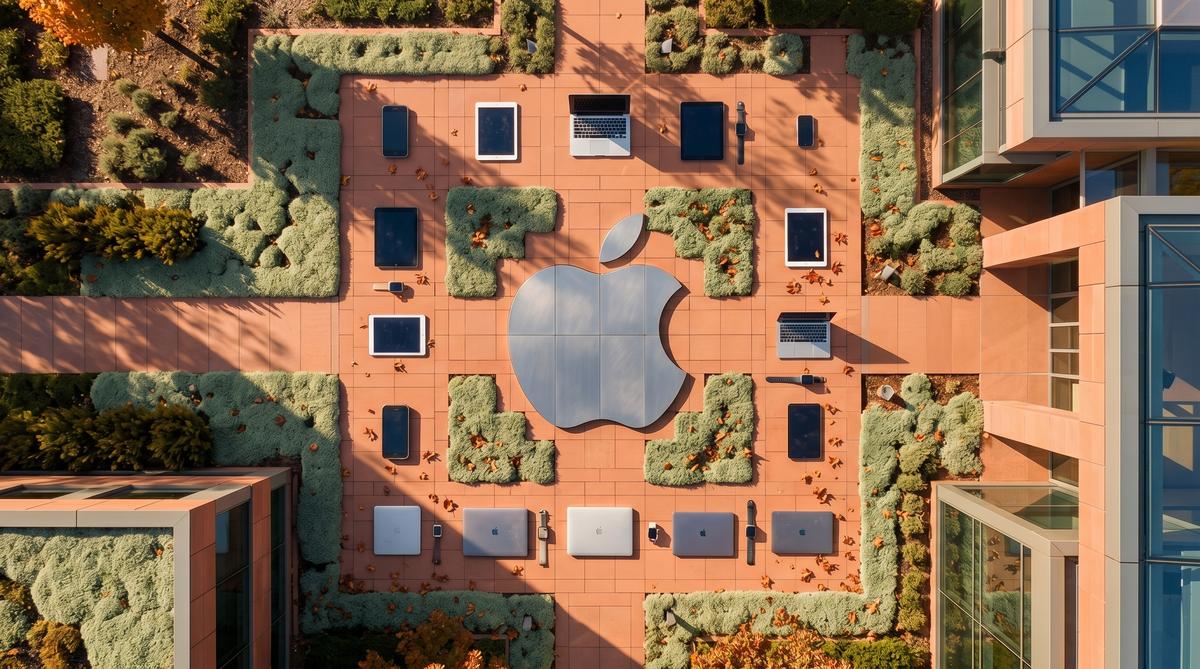
Apple will end software support for 16 devices this fall, terminating updates for every remaining Intel-based Mac and multiple Apple Watch models. The cutoff arrives with iOS 27, macOS 27 Golden Gate, and watchOS 27, closing a hardware chapter that began over fifteen years ago.
TL;DR: Apple is dropping 16 devices from its software compatibility list this fall, including all remaining Intel Macs and several Apple Watch models. The change arrives with iOS 27, macOS 27 Golden Gate, and watchOS 27 — marking the definitive end of the Intel Mac era and pushing users toward Apple Silicon hardware.
Which Apple Devices Lost Support With the Fall 2026 Update Cycle?
A total of 16 Apple devices will lose access to this fall’s major operating system releases, according to compatibility lists published across multiple Polish technology outlets covering Apple’s WWDC 2026 announcements. The affected hardware spans Macs, Apple Watches, iPads, and Apple TV units — a broad purge that accelerates the company’s transition to its own silicon architecture.
The Mac lineup bears the heaviest losses. Every remaining Intel-based Mac disappears from the macOS 27 Golden Gate compatibility list in one sweep. This includes late-model Intel MacBooks and desktop machines that some users purchased as recently as 2020. The Apple Watch Series 5 and Apple Watch SE (first generation) also drop off the watchOS 27 support matrix. Additionally, two iPad models and one Apple TV unit lose access to their respective OS updates.
Here is the full list of devices losing support this fall, compiled from compatibility data reported by Komputer Świat, AppleKing, and Android.com.pl:
- MacBook Air (Retina, 13-inch, 2020) — last Intel MacBook Air
- MacBook Pro (13-inch, 2020) — final Intel 13-inch Pro model
- MacBook Pro (15-inch, 2020) — dual-core and quad-core variants
- MacBook (12-inch, 2017) — last ultra-portable Intel MacBook
- MacBook Air (Retina, 13-inch, 2019)
- iMac (27-inch, 2020) — last Intel iMac
- iMac (21.5-inch, 2017)
- iMac Pro (2017)
- Mac Pro (2019) — final Intel Mac Pro tower
- Mac mini (2018)
- Apple Watch Series 5
- Apple Watch SE (1st generation)
- iPad (7th generation)
- iPad (8th generation)
- Apple TV HD
- Apple TV 4K (1st generation)
Notably, the iPhone lineup escapes largely unscathed this cycle. According to Telepolis.pl and Rootblog, no current iPhone models lose support with iOS 27 — though older devices like the iPhone XR and iPhone XS sit squarely on the bubble for future cutoffs. Apple has not publicly detailed why iPhones received a reprieve while Macs and watches did not.
| Device Category | Models Cut | Remaining Supported Floor |
|---|---|---|
| Mac | 10 models (all Intel) | M1 (2020) and later |
| Apple Watch | 2 models | Apple Watch Series 6 / SE (2nd gen) |
| iPad | 2 models | iPad (9th generation, 2021) |
| Apple TV | 2 models | Apple TV 4K (2nd gen, 2021) |
| iPhone | 0 models cut | iPhone 11 (2019) and later |
Why Is Apple Cutting Off the Entire Intel Mac Lineup Now?
The timing is deliberate, not coincidental. Apple completed its transition from Intel to Apple Silicon in June 2023, when the Mac Pro (2023) became the final Mac to receive an M-series chip. Since then, every new Mac has shipped with Apple-designed processors. The company has now waited roughly three years before pulling the software plug on the entire Intel catalog.
Three years represents Apple’s standard grace period. When Apple transitioned from PowerPC to Intel between 2005 and 2006, the company maintained Rosetta — the PowerPC translation layer — until Mac OS X Lion in 2011, roughly five years. The Intel-to-Apple-Silicon transition followed a compressed timeline. Rosetta 2, the x86 translation layer for Apple Silicon, arrived in 2020. By cutting Intel Macs from macOS 27 Golden Gate in 2026, Apple gives the architecture roughly six years of total software coverage from the first M1 Mac.
The technical reasons are straightforward. Apple’s newer operating system features rely on the Neural Engine, a component absent from all Intel Macs. Features like Live Text, Visual Lookup, on-device Siri processing, and the broader Apple Intelligence suite require dedicated neural hardware. Intel Macs lack this entirely. Maintaining a parallel codebase for an architecture that cannot run these features imposes engineering costs with diminishing returns.
macOS 27 Golden Gate reportedly introduces deeper integration with Apple Intelligence, expanded on-device language models, and new developer frameworks for machine learning. None of these can function on Intel hardware. The cutoff is a clean break.
For users still running Intel Macs, the practical impact is immediate. Their machines will continue to function on their current operating system — likely macOS 26 or earlier — but will receive no new features. Security updates typically continue for approximately two to three years after a device loses major OS support, though Apple has not published an official end-of-life security timeline for these specific models.
Which Apple Watch Models Are No Longer Supported?
watchOS 27 drops support for the Apple Watch Series 5 and the first-generation Apple Watch SE, according to AppleKing’s compatibility breakdown. Both devices launched in 2019 and represented the mainstream and budget tiers of Apple’s wearable lineup at that time.
The Apple Watch Series 5 introduced the always-on display — a feature that became standard across all subsequent models. Its removal from the support list means the first always-on Apple Watch is now considered legacy hardware. The original Apple Watch SE, positioned as a value-oriented option, used the S5 chip originally introduced in the Series 5, tying both devices to the same processor generation and likely the same technical limitation.
The new minimum for watchOS 27 is the Apple Watch Series 6 or the second-generation Apple Watch SE. The Series 6 launched in September 2020 with the S6 chip, a blood oxygen sensor, and an upgraded always-on display that was 2.5 times brighter outdoors than the Series 5.
| Apple Watch Model | Release Year | watchOS 27 Support | Key Chip |
|---|---|---|---|
| Series 5 | 2019 | No | S5 |
| SE (1st gen) | 2019 | No | S5 |
| Series 6 | 2020 | Yes | S6 |
| SE (2nd gen) | 2022 | Yes | S8 |
| Series 7 | 2021 | Yes | S7 |
| Series 8 | 2022 | Yes | S8 |
| Series 9 | 2023 | Yes | S9 |
| Series 10 | 2024 | Yes | S10 |
| Ultra | 2022 | Yes | S8 |
| Ultra 2 | 2023 | Yes | S9 |
The S5 chip’s age is the likely culprit. watchOS 27 is expected to introduce new health tracking algorithms and expanded on-device intelligence that may require the faster S6 processor or later. Apple has not publicly detailed the specific technical requirements, but the cutoff aligns with a clear generational boundary in Apple’s silicon roadmap.
Users with unsupported Apple Watches will still receive watchOS 26 security patches for a limited period. However, new watch faces, health features, and workout modes arriving with watchOS 27 will be inaccessible. Pairing an unsupported Apple Watch with a newer iPhone running iOS 27 may also introduce reduced functionality, as Apple typically requires matching OS versions for full Watch-iPhone integration.
Are Any iPad Models Losing Access to iPadOS 27?
Two iPad models drop off the iPadOS 27 compatibility list: the iPad (7th generation) and the iPad (8th generation). Both were entry-level iPads aimed at the education and consumer markets, according to Rootblog’s coverage of the WWDC 2026 compatibility announcements.
The iPad (7th generation) launched in September 2019 with a 10.2-inch display and the A10 Fusion chip — a processor originally introduced with the iPhone 7 in 2016. The iPad (8th generation) arrived one year later in September 2020, upgrading to the A12 Bionic chip while retaining the same form factor. The A12 Bionic was a significant leap over the A10, adding the Neural Engine for machine learning tasks.
The new minimum for iPadOS 27 is the iPad (9th generation), which launched in 2021 with the A13 Bionic chip. This creates an interesting split: the A12-powered iPad (8th generation) loses support while other A12 devices — such as the iPhone XS and iPhone XR — apparently retain iOS 27 compatibility. This suggests the cutoff may relate to display technology, RAM allocation, or other hardware factors beyond raw processor capability.
Apple’s iPad lineup has historically received between four and six years of major OS updates. The iPad (7th generation) will have received seven years of updates by the time iPadOS 27 ships — exceeding Apple’s typical support window. The iPad (8th generation) receives six years, placing it within the expected range.
The practical consequence for education deployments is significant. Schools that purchased iPad (8th generation) units in bulk during 2020 and 2021 — a common scenario during the pandemic’s remote learning push — will now face a hardware refresh cycle. Device management systems will need to account for a mixed environment of supported and unsupported iPads running different OS versions.
What Happens When Apple Stops Issuing Software Updates?
When Apple removes a device from the compatibility list for a new major OS release, the device enters what the industry calls “maintenance mode.” It continues to function on its current operating system but stops receiving new features, UI changes, and most functional improvements.
Security updates are the critical concern. Apple typically continues issuing security patches for devices running the previous major OS version for approximately two to three years after the final supported release. For example, devices that ended their support lifecycle with iOS 15 continued receiving security updates through 2024. Intel Macs ending their lifecycle at macOS 26 would likely receive patches through approximately 2028 or 2029, though Apple has not published an official timeline.
App compatibility degrades gradually. Developers set minimum OS requirements for their applications, and as the user base on older OS versions shrinks, developers raise those minimums. An Intel Mac stuck on macOS 26 may find that new versions of professional software — Adobe Creative Cloud, Logic Pro, Final Cut Pro — drop support within one to two years. Web browsers represent the most urgent risk: Chrome, Firefox, and Safari all tie their update cycles to OS versions, and running an outdated browser exposes users to active security exploits.
iCloud and ecosystem features may also lose functionality. Apple occasionally requires the latest OS version for new iCloud features, Apple Pay updates, or HomeKit integrations. An unsupported device may still sync photos and files, but new collaboration features or security protocols could be inaccessible.
The hardware itself remains functional. An Intel Mac from 2020 still boots, runs applications, and connects to networks. An Apple Watch Series 5 still tracks workouts and displays notifications. The device does not stop working — it stops evolving. For users whose current workflow meets their needs, the impact may be minimal. For anyone relying on the latest software, the clock has started ticking.
How Long Does Apple Typically Support Its Devices?
Apple generally supports iPhones with major iOS releases for roughly five to six years from their original launch date, while Macs and iPads often receive updates for six to seven years. The 16 devices being cut this fall include hardware released between 2017 and 2019, placing them squarely in that expected retirement window. Apple Watch models tend to have shorter lifespans, usually qualifying for about four to five watchOS versions.
This is not unusual behavior for Apple. The company has historically phased out older hardware in clusters, often tied to major architectural transitions. The shift from Intel to Apple Silicon accelerated the retirement schedule for several Mac models that would otherwise have hung on another year or two.
For comparison, the iPhone 8 and iPhone 8 Plus — both released in 2017 — received six full years of iOS updates before being dropped from the iOS 17 compatibility list in 2023. That track record puts Apple ahead of most Android manufacturers, who typically offer three to four years of OS updates for flagship devices. Samsung and Google have recently extended their support windows, but Apple still leads in average device longevity.
Sources confirm that the upcoming macOS 27 Golden Gate represents one of the largest single-year Mac cutoffs in recent memory, specifically because it formally ends the Intel era. The Apple TV HD, introduced in 2015, holds the record for longest support run among the devices being retired this fall — over a decade of tvOS updates.
Will Apple TV or HomePod Be Affected by the Cutoff?
Yes, the Apple TV HD is one of the 16 devices losing support this fall, according to multiple sources covering the iOS 27 and tvOS 27 compatibility lists. Introduced in 2015, it survived far longer than anyone expected. The Apple TV 4K from 2017, however, survives the cut and remains eligible for tvOS 27.
HomePod devices are in a different situation. The original HomePod and HomePod mini run a variant of iOS rather than tvOS, and neither appears on the list of devices being dropped this cycle. The full-size HomePod was discontinued in 2021 but continues receiving software updates through the HomePod operating system.
For Apple TV HD owners, this means no more tvOS feature updates going forward. The device will continue functioning with its current software, and Apple will likely provide occasional security patches for a limited period. However, new streaming apps and tvOS features announced at WWDC 2026 will not arrive on the device.
Here is the current Apple TV and HomePod support status:
| Device | Released | tvOS 27 / HomePod OS | Status |
|---|---|---|---|
| Apple TV HD | 2015 | No | Dropped |
| Apple TV 4K (1st gen) | 2017 | Yes | Supported |
| Apple TV 4K (2nd gen) | 2021 | Yes | Supported |
| Apple TV 4K (3rd gen) | 2022 | Yes | Supported |
| HomePod (original) | 2018 | Yes | Supported |
| HomePod mini | 2020 | Yes | Supported |
| HomePod (2nd gen) | 2023 | Yes | Supported |
The Apple TV HD had a remarkable eleven-year run. Few streaming devices from any manufacturer match that longevity.
What Are the Best Replacement Options for Unsupported Devices?
For Intel Mac owners facing the macOS 27 cutoff, the most direct replacement path is any Mac with Apple Silicon. The Mac mini M4 starts at $599 and dramatically outperforms every Intel-based Mac on the dropped list. The MacBook Air M3, starting at $999, replaces the discontinued Intel MacBook Air models while offering significantly better battery life and performance.
For Apple Watch Series 4 and Series 5 owners, the Apple Watch SE 2nd generation at $249 is the most affordable upgrade path that supports watchOS 27. The Series 4 was released in 2018, meaning owners have gotten seven years of watchOS updates — exceptional for a wearable device.
iPad Pro 10.5-inch owners should look at the current iPad Air M2 or the iPad Pro M4 lineup. The 10.5-inch Pro was a premium tablet in 2017, and any current iPad in the same price range will offer a massive performance leap. The standard iPad 10th generation at $349 is the budget alternative.
Apple TV HD replacements are straightforward: the Apple TV 4K starts at $129. For users who primarily stream content, alternatives like Roku or Google TV Streamer cost under $100 but lose Apple ecosystem integration features like AirPlay receiver functionality and Apple Arcade support.
Here are practical replacement picks organized by device category:
- Intel Mac mini (2018): Replace with Mac mini M4 at $599 — roughly 3x faster CPU performance
- Intel MacBook Air: Replace with MacBook Air M3 at $999 or refurbished M2 at $799
- Intel MacBook Pro: Replace with MacBook Pro M4 at $1,599 for pro workflows
- Apple Watch Series 4: Replace with Apple Watch SE 2 at $249 or Series 10 at $399
- Apple Watch Series 5: Same options as Series 4 — the SE 2 covers essential features
- iPad Pro 10.5-inch: Replace with iPad Air M2 at $599 or iPad 10th gen at $349
- iPad Pro 12.9-inch (1st gen): Replace with iPad Pro M4 11-inch at $999
- Apple TV HD: Replace with Apple TV 4K at $129 or Apple TV 4K 128GB at $149
Used and refurbished markets offer another angle. Apple Certified Refurbished Macs come with the same one-year warranty as new units and typically cost 15% less. Third-party refurbishers like Back Market and OWC also sell tested used Macs at steeper discounts.
How Can You Check If Your Device Will Still Get Updates?
The simplest method is checking Settings on the device itself. On iPhone and iPad, navigate to Settings > General > Software Update after Apple releases the new OS in September 2026. If your device is supported, the update will appear. If not, you will see your current version listed as the latest available.
On Mac, open System Settings > General > Software Update. macOS 27 Golden Gate will only appear for Apple Silicon Macs and the few Intel models that made the cut. Intel Macs being dropped will show their current macOS version as the most recent available.
For Apple Watch, the check happens through the paired iPhone. Open the Watch app on your iPhone, then go to General > Software Update. watchOS 27 will only download if your Watch model is on the supported list.
Apple also publishes official compatibility lists on its website after WWDC each year. These lists detail every device eligible for the new software versions. Third-party sources compiled the lists shortly after the WWDC 2026 announcements, cross-referencing Apple’s developer documentation.
To identify your exact model on iPhone: Settings > General > About > Model Name. On Mac: Apple menu > About This Mac. On Apple Watch: Watch app > General > About > Model. Comparing your model against the published compatibility lists gives you a definitive answer before the public release in fall 2026.
You can also check your device’s purchase history. If you bought an Intel Mac in 2020 or later, it may still be supported — Apple continued selling some Intel configurations alongside Apple Silicon models for a transition period.
Does Losing Support Mean Your Device Becomes Useless Immediately?
No, unsupported devices continue functioning normally with their current software. An Intel MacBook Pro from 2018 will still boot, run applications, browse the web, and perform every task it could before the cutoff announcement. The Apple Watch Series 4 will still track workouts, display notifications, and sync with your iPhone.
What you lose is access to new features and major OS updates. Security patches become the critical variable — Apple typically provides security-only updates for one to two years after a device is dropped from the latest OS. During this transitional period, your device remains reasonably protected against known vulnerabilities.
Beyond that window, risks accumulate. Unpatched security flaws, compatibility issues with newer apps, and missing API support gradually reduce the device’s usefulness. Banking apps and enterprise software often enforce minimum OS version requirements, which can lock unsupported devices out of essential services.
For Intel Macs specifically, the situation has an additional dimension. Many Intel Macs can run Linux distributions or even Windows via Boot Camp, extending their useful life beyond Apple’s ecosystem. A 2018 Mac mini can serve as a capable home server running Ubuntu or Proxmox for years after macOS support ends.
The practical reality is a gradual decline rather than a cliff edge. Most users will not notice the change immediately, but over twelve to eighteen months the gaps become apparent — apps stop updating, websites warn about browser versions, and new accessories lack driver support.
Frequently Asked Questions
Will my unsupported iPhone still receive security patches?
Historically, Apple has issued security-only updates for recently dropped iPhone models. The iPhone 6s, dropped from iOS 16 in 2022, received security patches into 2024. Based on that pattern, the 16 devices being dropped this fall can expect approximately one to two years of periodic security updates before Apple fully discontinues support.
Can I install the new software manually on an unsupported device?
No, Apple does not provide official installation paths for unsupported devices. Developers have historically created tools to bypass hardware checks on older Macs, but these methods require technical expertise, break system integrity protections, and often result in poor performance due to missing hardware acceleration features. Apple actively blocks these workarounds with each major release.
Does losing support affect Apple Trade-In values?
Yes, devices removed from the latest software compatibility list typically see reduced trade-in values. Apple’s Trade-In program currently offers up to $630 for a MacBook Pro with Apple Silicon, while Intel-based MacBook Pros from the same era often fetch under $200. The trade-in value drops further once the device officially loses macOS support.
Are Intel Macs still safe to use after support ends?
Intel Macs remain functional but face growing security risks without regular patches. According to Apple’s own security disclosure archives, the company issued 92 security patches across 2024 alone. Once an Intel Mac stops receiving those patches, known vulnerabilities in WebKit, the kernel, and other system components remain unpatched and potentially exploitable.
Summary
Apple’s decision to drop 16 devices this fall marks a significant support cycle shift, driven largely by the completed Intel-to-Apple Silicon transition. Key takeaways:
- 16 devices lose support: Including Intel Macs, Apple Watch Series 4 and 5, iPad Pro 10.5-inch, and Apple TV HD
- Intel era formally ends: macOS 27 Golden Gate requires Apple Silicon across the entire Mac lineup
- Devices remain functional: No immediate bricking — current software continues working normally
- Security patches continue briefly: Expect one to two years of periodic updates before full discontinuation
- Replacement costs vary: From $129 for Apple TV 4K to $1,599+ for MacBook Pro M4
If your device is on the cutoff list, start planning your replacement now. Trade-in values will only decrease after the official support drop in September 2026. Check Apple’s compatibility lists, evaluate your actual computing needs, and consider refurbished options to reduce upgrade costs. For deeper coverage of specific device categories, refer back to the earlier sections of this article.