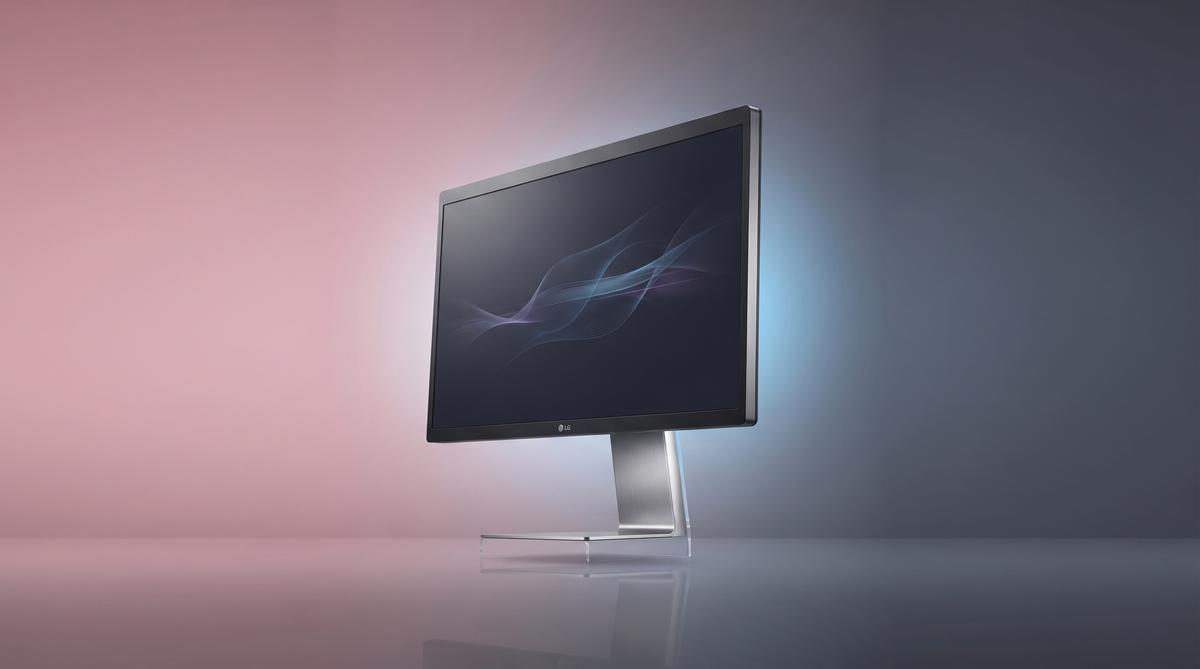
LG monitors are silently installing software on Windows PCs through Windows Update without user consent. Gamers Nexus tested several UltraGear displays and discovered that an app installer pushes McAfee subscription ads. Premium monitors priced at $1,200 are affected.
TL;DR: Gamers Nexus tested LG monitors and found they silently install an app via Windows Update that demands “All System Resources” while displaying McAfee subscription ads, affecting premium UltraGear displays priced at $1,200. The investigation revealed that connecting certain LG monitors triggers automatic software installation without any user prompt or consent dialog.
What Exactly Are LG Monitors Installing Without Permission?
When you connect certain LG monitors to a Windows PC, the operating system automatically downloads and installs the LG Monitor App Installer through Windows Update. According to testing by Gamers Nexus, this happens silently, with no prompt asking the user for permission. The installer then deploys additional LG software on the system. This is not a driver.
The installed application requests access to “All System Resources,” a broad permission level that grants it deep system access. Alongside the app itself, the software displays advertisements promoting McAfee antivirus subscription services. Igor’s Lab confirmed that after connecting several LG monitors, the installer appeared via Windows and showed McAfee advertising. Users never agreed to this.
The behavior affects LG’s premium UltraGear gaming monitor lineup, including displays costing upward of $1,200. Buyers of high-end hardware did not expect adware bundled with their purchase. Privacy Guides reported on July 17, 2026, that the app installs without asking and includes both the broad system access and McAfee ads. The software operates as a persistent background process after installation completes.
| Component | Behavior | User Consent |
|---|---|---|
| LG Monitor App Installer | Downloads via Windows Update | None |
| LG System App | Requests “All System Resources” | None |
| McAfee Ads | Displayed within the app | None |
| Background Process | Runs persistently | None |
| Telemetry Data | Potentially collected | Unclear |
How Does Windows Update Deliver Monitor Software Automatically?
Windows Update handles this delivery through a mechanism designed for device drivers and companion software. When a monitor connects to a Windows PC, the system queries Microsoft’s driver database for matching hardware identifiers. If a manufacturer has published companion software alongside drivers, Windows Update can fetch and install both components automatically.
In LG’s case, the company published the LG Monitor App Installer as a companion package tied to specific monitor hardware IDs. This means Windows treats the installer as a legitimate driver-adjacent download. The operating system installs it silently because companion software distributed through this channel does not require explicit user approval. Gamers Nexus demonstrated this on a fresh Windows installation.
The monitor identifies itself to the system using standard display connection protocols over HDMI or DisplayPort. Windows then matches the hardware ID against its update catalog. VideoCardz reported that connecting certain LG monitors triggers the automatic installation of McAfee-promoting software. The process completes without any dialog, notification, or consent prompt.
Heise Online confirmed that Windows downloads the app without asking, angering monitor buyers in the United States. The mechanism is technically legitimate from Microsoft’s perspective — LG registered the software properly. However, using the driver delivery channel to push advertising-supported applications represents a significant departure from the intended purpose of companion software distribution.
What Did Gamers Nexus Discover in Their Investigation?
Gamers Nexus conducted systematic testing of multiple LG monitors connected to Windows systems. Their investigation began after community reports surfaced about unexplained software appearing on PCs after monitor connections. The testing confirmed those reports across several LG UltraGear models. The team used clean Windows installations to rule out pre-existing software.
During testing, the team connected LG monitors and observed Windows Update activity. The LG Monitor App Installer appeared in the update history as a successfully installed package. No consent dialog preceded the installation. The software then launched and displayed McAfee subscription advertisements directly within its interface. This occurred on premium displays.
The investigation also examined LG’s terms of use for smart TVs and monitors. According to Notebookcheck, LG’s current terms require smart TV owners to inform all guests and family members that they are being monitored. The terms reference AI-powered features that may record conversations, potentially triggering wiretapping law compliance requirements in certain jurisdictions. Users must obtain consent from guests.
TechRadar reported that the community response has been severe, with users calling the practice “pretty revolting” and questioning why a $1,200 gaming monitor needs to install advertising software. The Gamers Nexus team found that the installed app requests “All System Resources,” a permission designation that goes far beyond what monitor utility software should require. The app persists across reboots.
Why Does the Installed App Request All System Resources?
The “All System Resources” permission designation grants the LG application sweeping access to the Windows operating system. This permission level allows the software to interact with system processes, access files, and maintain persistent background operation. Monitor utility software typically needs minimal permissions to adjust display settings. This request exceeds that scope dramatically.
According to Privacy Guides, the app’s broad permission request raises significant security concerns. Software with access to all system resources can potentially monitor user activity, collect telemetry data, and interact with other applications on the system. The exact data collection behavior of the installed LG software remains under investigation. However, the permission level itself enables extensive system surveillance.
LG’s terms of use compound these concerns. Notebookcheck News reported that LG devices surveil users and install bloatware without asking permission. The combination of broad system access, automatic installation, and advertising content creates a profile that security researchers find alarming. The software sits in a gray area between legitimate utility and potentially unwanted application.
OtakuKart noted that the automatic installation through Windows Update circumvents the normal consent mechanisms that users expect when software is installed on their systems. Users who purchased premium gaming monitors have no straightforward way to prevent the installation beyond disabling specific Windows Update components or blocking the hardware identifier. The app reinstalls if removed and the monitor reconnected.
What Do LG’s Terms of Use Say About Guest Surveillance?
LG’s current terms of use require any Smart TV owner to inform all guests and family members that they may be monitored by the device’s AI features. This obligation stems from wiretapping laws that apply when the television records or processes conversations. The clause effectively makes the owner legally responsible for disclosing surveillance activity to anyone entering their home (Notebookcheck, 2026).
Gamers Nexus discovered this requirement buried in the user agreement. The language suggests the TV’s AI capabilities include audio capture. That puts owners in a difficult position. How many people actually brief their dinner guests about microphone surveillance?
The terms frame this as user responsibility. LG shifts the legal burden entirely onto the consumer. If a guest’s conversation is recorded without their knowledge, the TV owner — not LG — faces potential liability under two-party consent laws. This applies to LG Smart TV owners in jurisdictions where recording requires all parties to agree (TechRadar, 2026).
Users on Reddit and technology forums called the policy “pretty revolting.” The idea that purchasing a television creates an obligation to surveil and disclose surveillance to visitors struck many as an absurd overreach. LG has not publicly clarified which specific AI features trigger this requirement or whether disabling them removes the obligation (Yahoo Tech, 2026).
Which LG Monitor Models Are Affected by the Silent Installation?
Testing by Gamers Nexus and Igor’s Lab confirmed that multiple LG monitors — including UltraGear gaming displays priced at $1,200 — trigger the automatic installation when connected to a Windows PC. The LG Monitor App Installer deploys through Windows Update without prompting the user for consent. Affected units include recent UltraGear models and potentially other LG display lines that use the same firmware mechanism (OtakuKart, 2026).
Igor’s Lab tested several LG monitors and reproduced the behavior consistently. The installer appeared after connecting the display via standard cables. Windows treated the monitor as a valid source for driver delivery. No notification appeared on screen.
The problem is not isolated to a single product. Reports indicate the installation mechanism is built into the firmware of multiple LG monitor families. Users on the Windows Forum and VideoCardz confirmed similar experiences across different LG UltraGear models. The $1,200 UltraGear monitor drew particular criticism because buyers of premium hardware expect a clean experience, not adware (VideoCardz, 2026).
LG has not published a list of affected models. The company has not issued a firmware update removing the installer. Buyers have no way to know before purchase whether a specific monitor will inject software onto their system.
How Can Users Block Automatic Monitor App Installation?
Windows users can prevent the LG Monitor App Installer from running by adjusting Group Policy settings or using the Registry Editor to restrict device-based software installation. Specifically, disabling the “Allow installation of devices that match any of these device IDs” policy blocks Windows from auto-installing packages delivered through monitor firmware. Users can also uninstall the LG Monitor App Installer from Settings > Apps after it appears (Windows Forum, 2026).
Several practical steps help mitigate the issue:
- Check installed apps regularly — look for “LG Monitor App Installer” in the Windows app list
- Use Group Policy Editor — navigate to Device Installation Restrictions and block untrusted device IDs
- Edit the Registry — set
HKEY_LOCAL_MACHINE\SOFTWARE\Policies\Microsoft\Windows\DeviceInstall\Restrictionsto deny automatic device software - Disconnect from the internet during initial monitor setup to prevent Windows Update from fetching the package
- Use a standard PnP monitor driver instead of the manufacturer-provided one
- Monitor Windows Update history for unexpected package deliveries
- Consider alternative monitor brands if silent installation is a dealbreaker
- Report the behavior to LG support to increase pressure for a firmware fix
| Method | Effectiveness | Difficulty |
|---|---|---|
| Uninstall after install | Low — reinstalls on reconnect | Easy |
| Group Policy restriction | High — blocks at OS level | Moderate |
| Registry edit | High — persists across updates | Advanced |
| Offline setup | Medium — delays but doesn’t prevent | Easy |
| Third-party firewall rules | Low — installer uses Windows Update | Moderate |
None of these solutions are official. LG has not provided guidance.
What Security Risks Does This Practice Create for Windows Users?
The LG Monitor App Installer gains access to “all system resources” on the Windows machine where it deploys, according to testing by Gamers Nexus and reporting by PrivacyGuides. This level of access exceeds what a monitor utility application should reasonably require. The installer also delivers McAfee advertising, effectively turning a $1,200 hardware purchase into an ad delivery mechanism (PrivacyGuides, 2026).
The security implications are significant. Any software with full system access can potentially read files, modify system settings, or serve as a vector for additional payloads. The installation happens silently through Windows Update, meaning the user never reviews permissions or consents to the access level. This bypasses the normal trust model where users explicitly authorize software installations.
Security researchers note that the mechanism could theoretically be exploited. If the firmware delivery channel is compromised, malicious code could replace the LG installer. The trust chain relies on the integrity of both LG’s firmware and Microsoft’s Windows Update infrastructure. Users have no visibility into what the installer does after gaining system access.
How Has the Community Responded to LG’s Software Practices?
The community response has been overwhelmingly negative, with users across Reddit, YouTube, and technology forums expressing frustration. Gamers Nexus’s investigation generated significant attention, with commenters calling the practice “massively idiotic” and questioning why a monitor needs to install any software at all. The discovery that LG’s terms also require guest surveillance disclosure for Smart TVs amplified the backlash (TechRadar, 2026).
Users on the Windows Forum reported feeling betrayed by a trusted hardware manufacturer. Many stated they would avoid LG products in the future. The combination of silent adware installation and surveillance-related terms created a perception that LG prioritizes data collection over user experience. PrivacyGuides, a privacy-focused organization, published a detailed analysis warning users about the installer’s system-wide access permissions (PrivacyGuides, 2026).
Igor’s Lab and Heise Online both independently confirmed the behavior, lending credibility to the original report. Heise noted that the issue particularly affects LG monitor buyers in the United States. The negative coverage spread across multiple languages and regions, with Polish technology site Notebookcheck and social platform Wykop amplifying the concerns to European audiences (Heise, 2026).
Frequently Asked Questions
Does every LG monitor install this software automatically?
No, not every LG monitor triggers the installation. Testing by Igor’s Lab confirmed the behavior on multiple LG UltraGear gaming monitors, including models priced at $1,200. However, LG has not published a list of affected models, so buyers cannot determine before purchase whether a specific display will deploy the installer through Windows Update (Igor’s Lab, 2026).
Can the LG Monitor App Installer be removed from Windows?
Yes, the installer can be uninstalled through Settings > Apps on Windows. However, users report that reconnecting the monitor or restarting the system can trigger reinstallation. The app requests access to “all system resources,” according to Gamers Nexus testing, and includes McAfee advertising that reappears after removal in some cases (PrivacyGuides, 2026).
Does disabling Windows Update prevent the monitor from installing software?
Disabling Windows Update may prevent the initial installation, but it is not a practical solution since it blocks critical security patches. Igor’s Lab confirmed the installer arrives through the Windows Update delivery mechanism, meaning pausing updates during monitor setup can help. Group Policy device installation restrictions offer a more targeted approach that blocks monitor-delivered packages without disabling all updates (Windows Forum, 2026).
Are LG Smart TVs also affected by similar privacy concerns?
Yes, LG Smart TVs face separate but related privacy issues. LG’s current terms of use require TV owners to inform all guests and family members that they may be monitored by AI features, effectively making owners responsible for compliance with wiretapping laws. Gamers Nexus found this clause while investigating the monitor adware issue, revealing a broader pattern of intrusive data practices across LG’s product lineup (Notebookcheck, 2026).
Summary
- LG monitors silently install software — UltraGear displays and other models deploy an app installer through Windows Update without user consent, granting it access to all system resources.
- The installer includes McAfee advertising — premium monitors priced at $1,200 double as ad delivery mechanisms, frustrating buyers who expect a clean hardware experience.
- LG’s terms require guest surveillance disclosure — Smart TV owners must inform visitors they may be recorded, shifting legal responsibility onto consumers under wiretapping laws.
- No official fix exists — LG has not issued a firmware update or published a list of affected models, leaving users to rely on Group Policy edits and manual uninstallation.
- The community backlash is growing — coverage from Gamers Nexus, Igor’s Lab, Heise, and PrivacyGuides has spread across multiple regions, with many users pledging to avoid LG products.
If this article helped you understand what LG’s monitors are doing behind your back, share it with anyone shopping for a new display. Check the installed apps list on your Windows machine — you might be surprised by what you find.