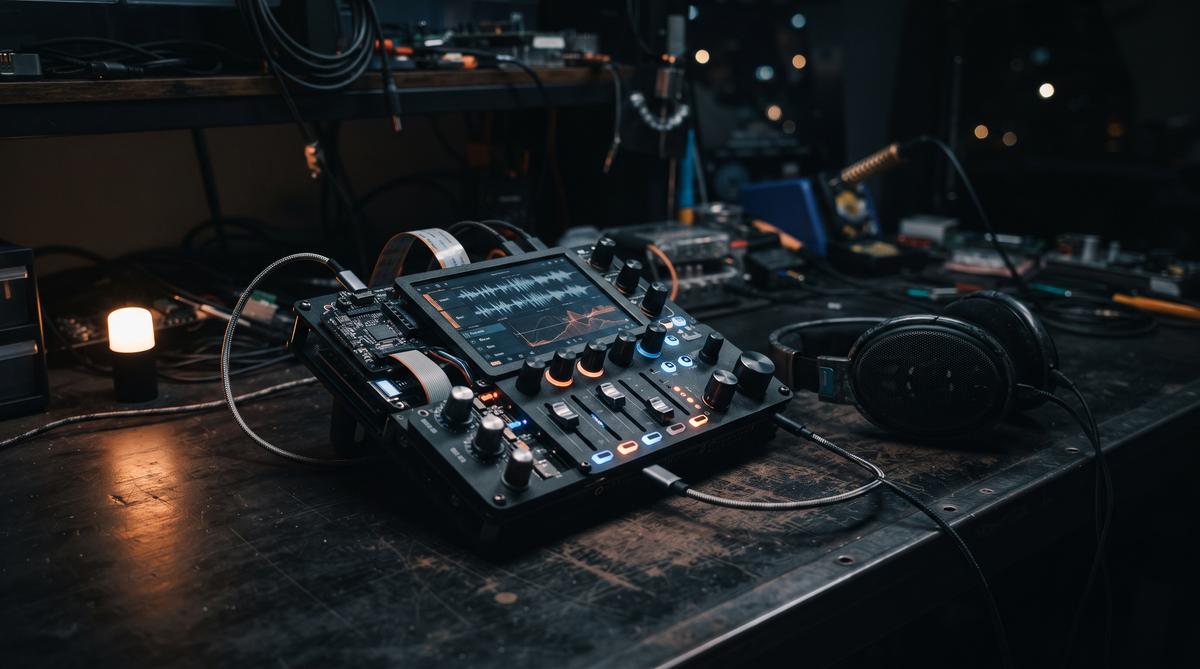
Stem separation used to live in expensive suites or metered cloud services. On August 27, 2026, Synthtopia highlighted a project called StemDeck, a free, open-source stem extraction platform that runs on Linux, Mac, and Windows. No subscription. No uploads.
TL;DR: StemDeck is a free, open-source stem extraction platform that runs locally on Linux, Mac, and Windows. It isolates vocals, drums, bass, piano, and guitar — five stem categories (Synthtopia, 2026) — for practice, transcription, remixing, and creative audio workflows, without subscription fees or cloud uploads.
What Is StemDeck and What Does It Do?
StemDeck is a modern stem extraction platform built around one job: taking a finished mix and splitting it into individually editable tracks. According to Synthtopia’s coverage from August 27, 2026, the tool is designed to isolate vocals, drums, bass, piano, and guitar — five stem categories in total. That is the entire promise, and it is a substantial one for anyone who has tried to transcribe a bassline buried under a wall of guitars.
The project is free and open source, which distinguishes it from the commercial stem-separation services that charge per track or per minute of audio. Synthtopia describes it as a tool for “practice, transcription, remixing, and creative audio workflows” — a deliberately broad set of use cases. A guitarist can pull the vocals out to jam along. A remixer can grab an isolated drum bus. A transcriber can finally hear the piano part clearly.
Why does this matter now? Because stem separation has quietly become one of the most practical applications of machine learning in music. Older tools like Audacity’s vocal reduction relied on phase cancellation and produced muddy results. Modern AI models approach the problem differently — they learn what instruments sound like and reconstruct them from the mixture.
Open source changes the economics. Anyone can inspect the code, build on it, or verify what happens to their audio. That last point matters more than it might seem.
Which Instruments Can StemDeck Isolate From a Mix?
StemDeck isolates five stem categories: vocals, drums, bass, piano, and guitar (Synthtopia, 2026). This is a wider set than the classic two-way vocal/instrumental split that most casual users know from karaoke apps and YouTube tutorials. It is also more granular than the four-stem standard — vocals, drums, bass, and “other” — that many separation models output.
The inclusion of piano and guitar as distinct categories is the interesting part. Harmonic instruments that occupy overlapping frequency ranges are notoriously hard to pull apart. A piano and a clean guitar tone can sit in nearly the same band. A separation model that treats them as separate targets has to learn timbral differences, not just frequency bands.
What can you actually do with these stems? Quite a lot:
- Practice an instrument along with the original track, minus your own part
- Transcribe basslines or piano voicings that are masked in the full mix
- Build remixes and mashups from clean, isolated sources
- Create instrumental or a-cappella versions for DJ sets
- Study production techniques by soloing individual elements
- Prepare backing tracks for live performance or teaching
- Muffle or remove problematic elements when cleaning up recordings
- Sample isolated drums or vocals for new productions
Each of these workflows previously required either multitrack sessions from the original studio or a paid cloud service. StemDeck removes both barriers, assuming the separation quality holds up in real material.
It is worth keeping expectations calibrated, though. No source describes StemDeck’s separation accuracy numbers, benchmark results, or the underlying model architecture. What Synthtopia documents is the feature set and the platform support — five stems, three operating systems, open-source licensing. Listeners should test it on their own material before committing to a deadline project.
Which Operating Systems Does StemDeck Support?
StemDeck runs on Linux, Mac, and Windows — all three major desktop platforms, confirmed by both Synthtopia and the Mastodon post by Faskil that helped circulate the news. That cross-platform coverage is unusual enough to be a headline feature, and it is right there in the source’s own title: “Free, Open Source StemDeck Stem Separator For Linux, Mac & Windows.”
Why is three-platform support notable? Because audio software has a long history of platform neglect. Professional tools often arrive on Mac and Windows first, with Linux treated as an afterthought — or ignored entirely. Open-source audio projects flip that pattern: they frequently originate on Linux and never get polished ports elsewhere. StemDeck launching with support for all three desktops at once avoids both failure modes.
The practical consequences are real for mixed-environment studios. A producer working in Ableton on Windows, a transcriber on a MacBook, and a Linux-based home studio can all standardize on the same tool. Files and presets stay interchangeable. Nobody has to maintain a separate workflow just for stem extraction.
There is also a licensing angle. As a free, open-source release, StemDeck carries no per-seat cost, which matters for schools, community studios, and anyone building a teaching curriculum around audio production. Students can install it on whatever machine they own.
What the sources do not specify is equally important to note. Neither Synthtopia nor the Mastodon post details minimum hardware requirements, GPU needs, supported audio formats, or installation package types for each platform. Readers should check the project’s own repository documentation before assuming their machine qualifies. AI-based separation is compute-hungry, and older hardware may struggle.
Why Does Local Processing Matter for Stem Separation?
Local processing means the audio never leaves your machine. StemDeck performs its separation on the desktop, on Linux, Mac, or Windows, rather than uploading tracks to a cloud service (Synthtopia, 2026). That single architectural decision carries legal, financial, and practical consequences that are easy to underestimate.
Start with copyright. Musicians separating stems often work with commercial recordings they do not own. Uploading a copyrighted track to a third-party cloud service may violate that service’s terms, the label’s rights, or both. Local processing sidesteps the question entirely — the file stays on the disk it started on, and no third party ever receives a copy. For engineers working with unreleased or embargoed material, this is not a convenience. It is a requirement.
Then there is cost. Cloud stem-separation services typically meter by track length or number of jobs, and those fees compound quickly for anyone working at volume. StemDeck is free, so the marginal cost of the hundredth separation is the same as the first: zero dollars, plus whatever electricity the local hardware draws.
Privacy concerns around desktop software are not hypothetical, either. Coverage of Windows 11 telemetry by Spidersweb.pl shows how much scrutiny operating-system data collection now attracts — users increasingly demand to know what leaves their machines. A tool that processes audio entirely offline answers that demand by design.
Reliability is the quieter benefit. No queue times, no upload bandwidth limits, no service shutting down because a startup pivoted. The tool runs when you run it. For open-source software, that longevity question matters: even if the original maintainers move on, the code remains available for the community to continue.
How Does Open Source Change the Stem Separation Market?
Open source fundamentally shifts stem separation from a paid service into a shared tool. StemDeck is distributed as free, open source software for Linux, Mac and Windows, as reported by Synthtopia on August 27, 2026. That means no subscriptions, no upload quotas, no per-track fees. Anyone can download it and start splitting songs immediately.
This matters because the market has been dominated by cloud services that meter access. When the separation engine lives on your own desktop, the pricing model collapses. The software isolates vocals, drums, bass, piano and guitar, according to the Synthtopia announcement. That is a full stem palette, not just the classic vocal-plus-instrumental split.
Open source also changes who can build on the technology. Developers can inspect the code, patch it, and integrate it into their own audio workflows. Musicians are no longer locked into one vendor’s roadmap. If a service shuts down, the tool keeps working on your machine.
There is a trust dimension too. Windows 11 has faced persistent questions about telemetry, and Spider’s Web investigated a specific service long suspected of spying on users. Local, auditable software sidesteps that anxiety entirely. What runs on your desktop stays on your desktop.
Who Is StemDeck Built For?
Musicians are the primary audience. Synthtopia describes StemDeck as a platform designed for practice, transcription, remixing and creative audio workflows. A guitarist can mute the original guitar stem and play along with the rest of the band. A drummer can strip drums out of a track and rehearse the part.
Transcribers benefit just as much. Isolating vocals, bass or piano makes it dramatically easier to write down what is actually being played. Piano parts buried in a dense mix suddenly become audible. The same applies to guitar solos that sit behind a wall of synths.
Remixers and producers form the third group. Pulling a clean acapella or an isolated bassline opens up sampling and re-arrangement possibilities. DJs can build custom transitions from separated components. Content creators can remove vocals from licensed beds without paying for cloud processing.
Even students fit the picture. AI tools have pushed deeply into education, and Benchmark.pl notes that there is no point pretending AI is not part of learning anymore. StemDeck gives students a zero-cost way to study song structure, arrangement and mixing decisions by deconstructing real recordings. Free local tools lower the barrier for everyone.
How Does StemDeck Compare to Cloud-Based Stem Services?
The core difference is where the processing happens. Cloud services upload your audio to remote servers, run separation there, and return the results. StemDeck runs entirely on your desktop, on Linux, Mac or Windows. Nothing leaves your machine.
Cost is the second divider. Cloud stem services typically charge per minute of audio or via monthly plans. StemDeck is free and open source. For anyone separating tracks regularly, the savings compound fast. A working musician processing dozens of songs per month pays nothing.
Privacy follows the same logic. When audio stays local, unreleased demos and client material never touch a third-party server. That is not a trivial concern in 2026, when even operating systems face scrutiny over data collection and enterprises watch AI spending closely. Microsoft began monitoring per-employee AI costs after one worker racked up $28,000 in 28 days, roughly $1,000 per day, as GRYOnline.pl reported. Local processing eliminates that meter entirely.
There are trade-offs, of course. Cloud services run on powerful server hardware and shift the computational burden away from your laptop. StemDeck uses your own CPU or GPU, so older machines will feel it. But for most desktop users, the combination of free access, cross-platform support and full privacy is hard to beat.
What Can You Do With Extracted Stems?
Practice comes first. Isolate drums, bass, piano or guitar from any song and practice your instrument against the remaining mix. Synthtopia explicitly lists practice as a core use case for StemDeck. You can also solo a single stem to study a performance note for note.
Transcription is the natural second step. Clean isolated stems make it far easier to transcribe basslines, chord voicings or drum patterns. Music teachers can prepare study material from real recordings. Students can slow down and loop a single instrument without the rest of the mix interfering.
Remixing and production open up further:
- Build custom mashups from isolated vocals and instrumentals
- Sample a clean bassline or drum groove for new productions
- Create karaoke backing tracks by muting the vocal stem
- Rebalance a mix by boosting or cutting individual stems
- Prepare stems for live performance setups and DJ transitions
- Restore or clean up old recordings by isolating damaged elements
- Study professional mixes by soloing each element
- Generate practice material for band rehearsals
Creative sound design rounds out the picture. Producers can mangle isolated stems through effects without affecting other instruments. A vocal stem can be pitched, chopped or granulated while the original instrumental stays intact. Film and video creators can pull music apart to fit dialogue underneath.
The table below maps common goals to the stems you need:
| Goal | Stem to use | Typical workflow |
|---|---|---|
| Karaoke track | Vocals (mute) | Split song, drop vocal stem, export |
| Learn bassline | Bass (solo) | Isolate bass, slow down, loop |
| Remix | All stems | Re-arrange, reprocess, rebuild mix |
| Drum practice | Drums (mute) | Remove drums, play along |
| Transcribe piano | Piano (solo) | Isolate piano, transcribe by ear |
| DJ transition | Instrumental | Mute vocals, blend into next track |
Because StemDeck covers vocals, drums, bass, piano and guitar, most of these workflows need no additional software.
Frequently Asked Questions
Is StemDeck really free?
Yes. StemDeck is free and open source, available for Linux, Mac and Windows, as covered by Synthtopia on August 27, 2026. There are no subscriptions, upload credits or per-track charges. The open source license also means the code can be audited and modified freely.
Does StemDeck send my audio to the cloud?
No. StemDeck performs stem separation locally on your desktop, which is its main selling point alongside the zero price. Your audio files never leave your machine during processing. This contrasts with cloud stem services that require uploading every track to remote servers.
Can StemDeck separate instruments other than vocals and drums?
Yes. According to Synthtopia, StemDeck isolates vocals, drums, bass, piano and guitar — five stem categories in total. That goes beyond the basic two-stem vocal/instrumental split many free tools offer. The separated stems support practice, transcription, remixing and creative audio workflows.
Do I need a powerful computer to run StemDeck?
StemDeck runs on standard Linux, Mac and Windows desktops, with no specialized hardware required according to the Synthtopia announcement. However, AI-based separation is computationally heavy, so older machines will process tracks more slowly. Since everything runs locally, your own CPU and GPU determine the speed instead of a cloud server.
Summary
StemDeck delivers professional-grade stem separation to every desktop, free of charge. Here are the key takeaways:
- StemDeck is free and open source, running on Linux, Mac and Windows (Synthtopia, August 27, 2026)
- It isolates five stem types: vocals, drums, bass, piano and guitar
- All processing happens locally — no uploads, no subscriptions, no privacy trade-offs
- Target users include practicing musicians, transcribers, remixers and producers
- Extracted stems unlock karaoke tracks, transcription work, remixes and custom practice material
If you regularly work with audio, download StemDeck and try splitting one of your own tracks. Then compare the workflow against whatever cloud service you were paying for. The difference is immediate.