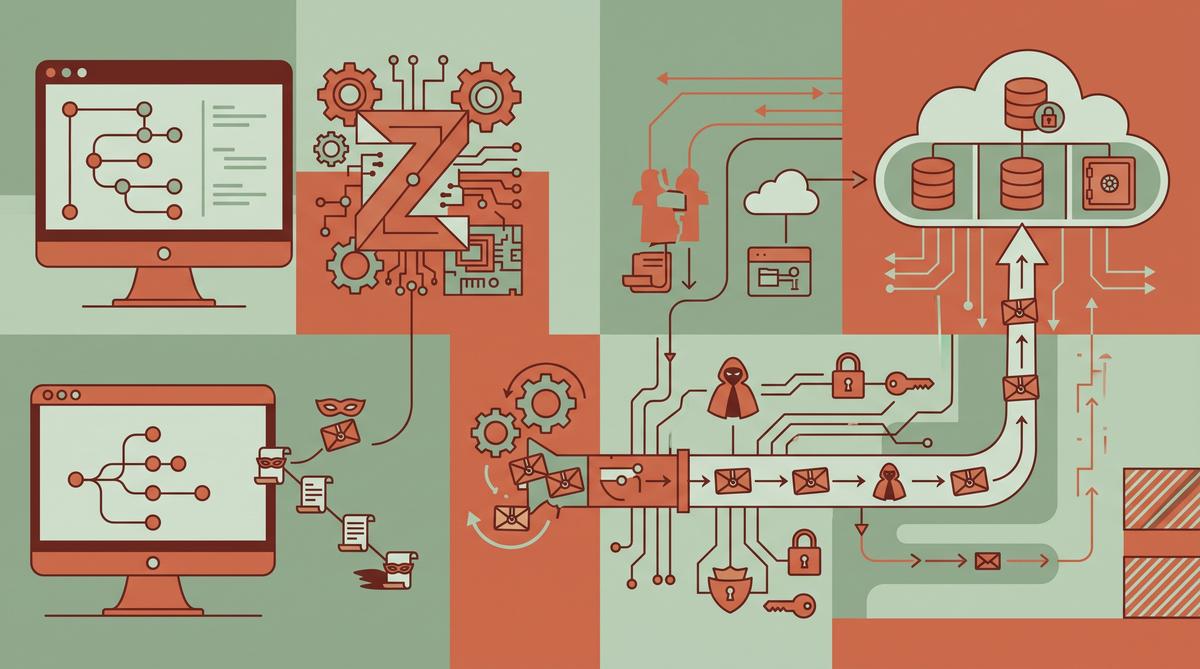
A developer went looking for why a folder called ~/.zcode was eating more than 700 MB of disk space. What he found instead is far worse: ZCode, Z.ai’s desktop AI coding tool, silently packages entire workspaces — including full Git history — and uploads them to Aliyun OSS while you’re logged in.
One workspace contained 42,411 files. The upload happens in the background, with no prompt, no visible progress indicator, and no way to turn it off from the settings interface. And the encryption protecting the uploaded archives? The server holds the only decryption key.
TL;DR: Developer ferstar reverse-engineered ZCode, Z.ai’s desktop AI coding tool, and found it silently packs entire workspaces — including full
.githistory, LFS cache, and reflogs — and uploads them to Aliyun OSS after login. One packaged workspace contained 42,411 files. Z.ai’s server holds the only decryption key, no UI toggle disables the behavior, and the company provides zero disclosure about it in the app or its documentation.
What Did the Researcher Actually Find Inside ZCode?
The discovery started innocently. Ferstar, the developer behind the report published on his blog “Code is cheap, let’s talk,” was cleaning up his disk and wondered why ~/.zcode had grown past 700 MB. Rather than just deleting the folder, he dug in.
What he found was a full-fledged workspace snapshot pipeline. ZCode — Z.ai’s official AI programming desktop application — was building complete archives of his work directories. Not just the source files the AI assistant needs to answer questions, but everything: the entire .git directory with commit history, Git LFS cached objects, and reflog entries that can resurrect “deleted” commits.
The scale is what makes this alarming. One packaged workspace contained 42,411 files destined for cloud upload. That’s not a code snippet sent for completion. That’s a project’s full organizational memory — every commit message, every branch that was ever created, every file that was ever deleted but still lives in history — packed up and shipped out.
Ferstar documented the findings on his blog and called out Z.ai directly on X, asking why the tool silently uploads workspaces to Aliyun OSS on login. The post quickly circulated among developers following the tool’s ecosystem.
How Does the Silent Upload Mechanism Work?
The mechanism is straightforward once you see it, which is exactly the problem. According to the reverse-engineering report, ZCode triggers the workspace snapshot process whenever the user is logged in. No dialog appears. No consent is requested. The tool simply begins packaging the workspace in the background.
The timing matters here. Because the trigger is the login state, simply having a logged-in session is enough to start the pipeline. Opening a project, working on it normally — that’s all the tool needs to start building the archive.
The destination is equally specific: Aliyun OSS, Alibaba Cloud’s object storage service. The reverse-engineering analysis traced the upload flow and confirmed the packaged snapshots get pushed to that storage backend.
Why should you care about the plumbing details? Because the design here shows intent. This isn’t telemetry or crash reporting accidentally sweeping up files. The code deliberately walks the workspace, builds an archive, and transmits it to cloud infrastructure. Someone wrote that code, shipped it, and decided no interface element should tell you about it. Privacy disclosures in ZCode’s documentation don’t describe this behavior — ferstar’s report emphasizes that the upload comes with zero disclosure to users.
What Exactly Gets Packaged and Uploaded?
The contents of the snapshot go well beyond what any AI coding assistant needs to function. Here’s what the report identified:
- The entire
.gitdirectory, including full commit history of the repository - Git reflog entries, which can expose deleted branches and “erased” commits
- Git LFS cached objects — potentially large binary files kept locally by LFS
- All regular workspace files, not just code currently being edited
- In one documented case, a workspace totaling 42,411 files
- Deleted or private branches reachable only through history
- Any secrets committed and later removed, but still present in history
- Local repository state that reveals project structure, contributor activity, and development patterns
That last category deserves emphasis. Even teams with good secret hygiene — scanning for API keys before commit, using tools to purge credentials from history — often rely on reflog and history cleanup locally. ZCode’s snapshot behavior uploads the repository state as it exists on disk, history included.
Consider what a full Git history contains: internal codenames, feature plans in commit messages, salary or infrastructure details in config files that were added and removed, third-party NDAs in docs that got deleted. All of it fits in a .git directory. All of it goes into the archive.
For individual developers, the risk is personal secrets. For companies, it’s potentially the entire intellectual property record of a codebase sitting on a third party’s cloud storage.
Why Does Z.ai Hold the Only Decryption Key?
The uploaded snapshots are encrypted — but in a way that offers users no protection. According to ferstar’s report, the encryption key is controlled server-side by Z.ai. The client encrypts the archive, but the key material needed to decrypt it lives on Z.ai’s infrastructure.
This is a critical design distinction. Encryption usually means “only I can read this.” Here it means the opposite: the party operating the storage can decrypt everything. If the encryption were client-side with a user-held key, Z.ai would store unreadable blobs. Instead, the architecture gives Z.ai — and whoever can access its servers — full read access to every uploaded workspace.
Think about what that means practically. Your proprietary codebase, your Git history, your LFS objects — they’re encrypted in transit and at rest, but the counterparty holds the key. Any server-side compromise, internal access, or legal request targeting Z.ai could expose the complete contents.
There’s no documented way for a user to rotate or control this key. There’s no client-side key management. The single-party key model is baked into how the feature works. Combined with the silence around the upload itself, it means users have no visibility into what was uploaded, when, where it’s stored, or who can decrypt it.
Do the Privacy Settings Actually Stop the Upload?
No. This is perhaps the most damning part of the report. ZCode’s interface includes privacy settings that appear to give users control over data sharing. According to the reverse-engineering findings, toggling these settings does not stop the workspace snapshot upload.
ByteIota’s coverage of the report put it bluntly: your privacy settings do not stop it. The upload behavior operates independently of the visible privacy controls, meaning a user who opts out of data sharing in the UI still gets their entire Git history packaged and shipped to Aliyun OSS.
That gap between the interface and the actual behavior is worse than having no settings at all. A missing toggle is a missing feature. A toggle that does nothing creates a false sense of control — users believe they’ve opted out, while the data transfer continues in the background.
Ferstar’s post to Z.ai listed this alongside the other findings: server holds the only decryption key, no UI toggle disables the upload, zero disclosure. If the upload can’t be disabled from within the app, what options remain? The report and follow-up coverage suggest OS-level network blocking is the only reliable mitigation — restricting ZCode’s ability to reach its storage endpoints at the firewall level, since the application itself offers no off switch.
Until Z.ai responds with a change in behavior or at minimum an honest disclosure, treating the tool’s settings as non-functional when it comes to this upload is the safe assumption.
How Was the Discovery Made — and Why Does the File Size Matter?
The discovery started with disk cleanup, not suspicion. The researcher ferstar noticed that the hidden ~/.zcode directory had grown to more than 700 MB, which seemed excessive for a desktop coding assistant. Digging into the contents, he found that ZCode — the official AI programming desktop app from Z.ai (Zhipu AI) — had been packaging entire workspaces in the background. The behavior only manifests while the user is logged in.
Why does file size matter here? Because it is the tell. A local cache of a few megabytes would be unremarkable, but hundreds of megabytes of packaged workspace data points to bulk collection. In one documented case, a single workspace of 42,411 files was packaged for upload, including the complete .git directory. That scale means years of commit history, every branch ever created, and large binary assets stored via Git LFS.
The investigation continued until the destination was confirmed: Aliyun OSS, Alibaba Cloud’s object storage service. The packaging happened silently, with no dialog, no consent prompt, and no visible network indicator in the app. If a hidden folder had not drawn attention during routine disk maintenance, the uploads would likely have continued unnoticed.
What Are the Real Risks of Uploading Full Git History?
Git history is not just code. It contains everything a team ever committed and later tried to forget: API keys and passwords removed in a follow-up commit, private endpoints in configuration files, internal hostnames, customer data accidentally committed, and sometimes entire proprietary algorithms from before a public split.
The risks break down into several layers:
- Secret leakage — credentials deleted from HEAD remain recoverable in history; automated scanners routinely mine exposed repositories for them.
- Corporate IP exposure — full
.githistory reveals internal decision-making, rename patterns, and pre-release architecture. - LFS cache and reflogs — these include large binary assets and records of every checked-out state, far beyond what a casual code review would expose.
- Server-held keys — the uploaded snapshots are encrypted, but only Z.ai’s servers hold the decryption key, so the vendor (and anyone who can compel or compromise it) can read everything.
- No disclosure — users had zero notice that transfers were occurring, so they could not make an informed choice about which projects to open in ZCode.
For teams operating under GDPR, SOC 2, or client NDAs, the appearance of proprietary source code on a third-party cloud storage bucket may itself constitute a reportable incident. The absence of a UI toggle means the exposure is not a misconfiguration. It is the default behavior.
How Can Users Block the Upload at the OS Level?
Since ZCode’s own settings do not stop the uploads, the report’s practical guidance is to block them at the operating system layer. This is achievable today with tools most developers already run.
- Firewall rules — use Little Snitch (macOS) or the built-in Windows Firewall / iptables to deny ZCode’s outbound connections to Aliyun OSS endpoints.
- DNS blocking — map Aliyun OSS domains to
0.0.0.0in/etc/hostsor use a network-wide blocker such as Pi-hole to sinkhole the storage endpoints. - Offline usage — the packaging behavior was observed only while the user was in a logged-in state, so staying logged out appears to be a prerequisite for the uploads.
- Network monitoring — verify with a proxy like mitmproxy that no workspace traffic leaves the machine after applying the blocks.
The uncomfortable part is that this burden falls entirely on users. A privacy setting that exists in the interface but does nothing creates a false sense of control, and OS-level blocking may break other features that legitimately require connectivity. Until the vendor ships a real opt-out, treating ZCode as untrusted for confidential repositories is the only defensible posture.
Has Z.ai Responded to the Allegations?
Publicly, at the time of writing, Z.ai has not issued a substantive response. The researcher directly confronted the company on X, tagging @Zai_org and asking why ZCode silently packs entire workspaces plus full .git history and uploads them to Aliyun OSS on login. The message listed three specific complaints: the server holds the only decryption key, there is no UI toggle to disable the upload, and there is zero disclosure to users.
The findings spread quickly through the developer community after September 18, 2026 (UTC+8), picked up by outlets including ME News via KuCoin, byteiota, and Tokenstead. Coverage consistently emphasized the same core problem: the behavior is silent, enabled by default, and cannot be turned off from within the application.
In my opinion, silence here is the worst available answer. Even a response arguing a legitimate engineering rationale — snapshot-based sync for crash recovery, for example — would at least give users something to evaluate. Without documentation, a changelog entry, or a working opt-out, every new login means another workspace packaged and shipped to cloud storage under a key the user does not control.
What Should Developers Demand From AI Coding Tools?
The ZCode case is a useful stress test for the entire category of AI-powered desktop development tools. These applications have deep filesystem access by design — that is how they read and edit code — which makes their data handling practices a security question, not a privacy nicety.
A reasonable baseline of demands:
- Explicit consent — no workspace packaging or upload without an affirmative, per-project opt-in.
- Working opt-outs — toggles in the UI that demonstrably stop the behavior, verified by independent traffic inspection.
- Client-held keys — encryption where the vendor cannot decrypt user data; server-held keys provide protection only against outsiders, not the vendor itself.
- Disclosure — documentation of exactly what leaves the machine, where it is stored, for how long, and under which legal jurisdiction.
- Auditability — a local log of network transfers so users can see what was sent and when.
- Scope minimization — sending the currently open file or a relevant context window is categorically different from shipping 42,411 files including Git history.
Developers accept that AI coding tools need code context. The objection is to hidden, all-encompassing collection governed by keys held server-side. Reverse-engineering should not be required to learn what a desktop application does with a company’s source code.
Frequently Asked Questions
What is ZCode and who makes it?
ZCode is a desktop AI programming application built by Z.ai (Zhipu AI), the company behind the GLM coding agent. According to reverse-engineering published on September 18, 2026, the tool packages entire workspaces for upload after login.
What data does ZCode upload to the cloud?
The researcher found that ZCode uploads the entire workspace, including full .git history, the LFS cache, and reflogs, to Aliyun OSS (Alibaba Cloud). In one documented case, a workspace of 42,411 files was packaged for upload.
Can I disable the upload in ZCode’s settings?
No. According to the reverse-engineering report, there is no UI toggle to disable the upload, and the existing privacy settings do not stop it. Blocking requires OS-level measures such as firewall rules or DNS blocking of Aliyun OSS endpoints.
Who can decrypt the uploaded workspace snapshots?
Only Z.ai’s servers hold the decryption key for the uploaded snapshots, which means the client-side encryption provides no protection against the vendor itself. Users have zero disclosure and no control over server-side access.
Summary
- ZCode, Z.ai’s desktop AI coding tool, was found via reverse-engineering to silently package entire workspaces — including full
.githistory, LFS cache, and reflogs — for upload to Aliyun OSS whenever the user is logged in. - The scale is substantial: one documented workspace contained 42,411 files, and the local
~/.zcodedirectory grew past 700 MB before anyone noticed. - Encryption offers no real protection here, because only Z.ai’s servers hold the decryption key.
- No in-app setting stops the uploads; defense currently requires firewall rules or DNS blocking at the OS level.
- Until vendors offer working opt-outs, client-held keys, and honest disclosure, treat AI coding tools with the same scrutiny as any other software with deep filesystem access — and keep proprietary repositories out of them.
If this article changed how you think about your AI coding setup, check the settings of the tools you use daily — then verify their network traffic yourself.