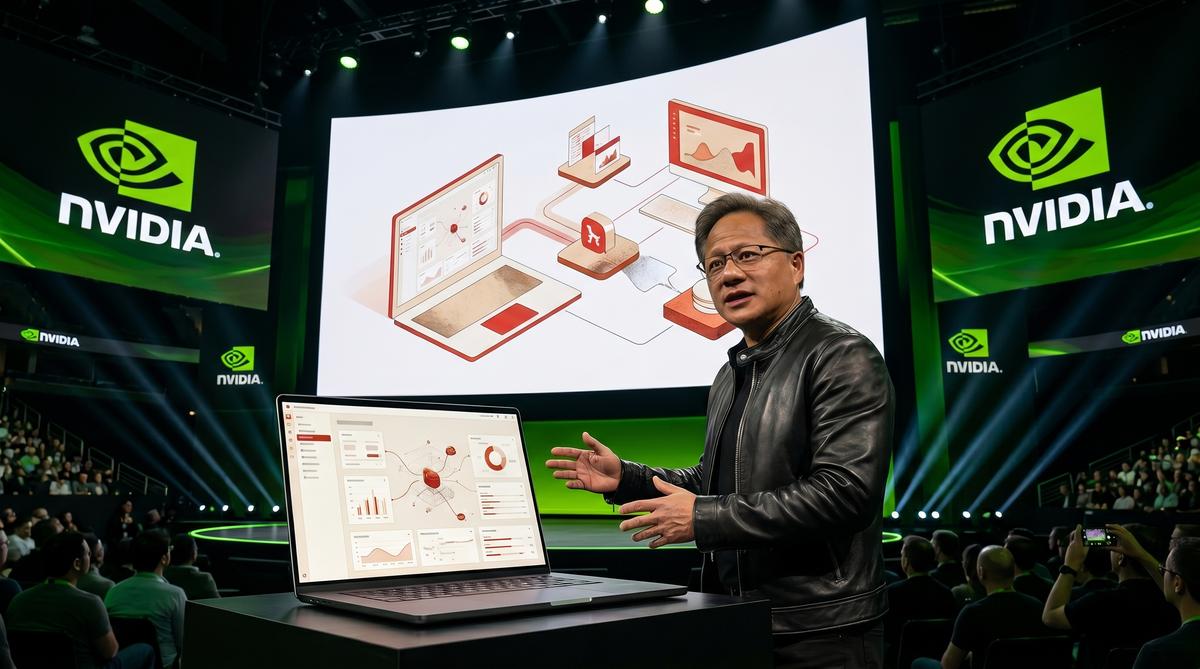
When Jensen Huang took the GTC keynote stage to demo an AI agent running natively on a laptop, the audience saw something unusual. The agent wasn’t cloud-dependent. It wasn’t routing through a browser. It was a native desktop application called Hermes Desktop, built by Nous Research — and it just entered public preview.
TL;DR: Nous Research launched Hermes Desktop in public preview, bringing its open-source Hermes Agent into a native app for macOS, Windows, and Linux. The app uses pure SSH with no gateways or exposed ports, according to the Hermes Atlas project documentation. It was first demonstrated during Jensen Huang’s GTC keynote.
What Is Hermes Desktop and Why Does It Matter?
Hermes Desktop is a native desktop application that provides a graphical interface for the Hermes Agent, an open-source AI agent developed by Nous Research. Unlike browser-based agent interfaces that rely on cloud intermediaries, Hermes Desktop runs as a standalone application installed directly on the user’s machine, giving the agent local access to files, terminals, and system resources. According to the Hermes Atlas project documentation, it is designed as “the safest, simplest way to manage Hermes from your Mac,” emphasizing local-first architecture over cloud dependency.
The significance lies in the architectural shift. Most AI agent tools today operate through web interfaces — think ChatGPT’s canvas, Claude’s artifacts, or various agent frameworks running in browser tabs. These require network connectivity to remote servers and often route user data through cloud infrastructure. Hermes Desktop breaks this pattern by executing the agent logic locally and connecting to remote machines through SSH, a well-established and auditable protocol. This matters because it eliminates entire categories of attack surface: no browser sandbox to escape, no gateway server to compromise, no exposed ports inviting unauthorized access.
The project’s public announcement followed its appearance in Jensen Huang’s GTC keynote, where NVIDIA’s CEO demonstrated the tool as an example of where AI agent interfaces are heading. For Nous Research, a company known for open-source AI models and tools, this represents a move from model development into the practical infrastructure layer of how humans interact with AI agents day to day.
Why does a native app matter when browsers seem sufficient? Because browser-based agents inherit every limitation of the browser sandbox — restricted file system access, limited process control, and dependence on a stable internet connection to a remote server. A native app bypasses these constraints entirely.
How Does Hermes Desktop Connect to Your Machine?
Hermes Desktop connects to target machines using pure SSH (Secure Shell), the same protocol system administrators have trusted for decades to manage remote servers. According to the Hermes Atlas project documentation, the connection model is straightforward: “Pure SSH. No gateways, no exposed ports, no browser layer.” This means the application establishes a direct, encrypted tunnel between the desktop app and the machine the agent needs to operate on, without routing traffic through intermediate servers or requiring any inbound port openings on the user’s network.
This architecture has practical security implications that differentiate it from most agent platforms. Traditional remote access tools for AI agents often require users to open specific ports on their firewall, set up reverse proxies, or register with a cloud gateway service that acts as a relay between the agent and the target machine. Each of these intermediaries introduces potential vulnerabilities. SSH, by contrast, is a mature protocol with extensive auditing, key-based authentication, and widespread tooling for monitoring and access control. By relying exclusively on SSH, Hermes Desktop inherits decades of security hardening rather than inventing its own connection protocol.
The absence of a browser layer is equally important. When an AI agent operates through a web application, every command and response passes through the browser’s rendering engine, JavaScript runtime, and network stack. This adds latency, consumes memory, and creates potential failure points. Hermes Desktop communicates directly with the SSH daemon on the target machine, reducing overhead and eliminating the browser as a dependency. The agent can execute commands, read and write files, and manage processes with the same efficiency as a human administrator using a terminal — but with the added capability of natural language instruction.
For users managing multiple machines, the SSH-based approach simplifies configuration dramatically. There is no agent software to install on target machines beyond a standard SSH server, which most development and server environments already run. Users add their SSH credentials or keys to Hermes Desktop, and the application handles connection management, session persistence, and command routing automatically.
Which Operating Systems Does Hermes Desktop Support?
Hermes Desktop supports three major operating systems: macOS, Windows, and Linux. According to the Startup Fortune coverage of the launch, Nous Research designed the application to be “a native app for macOS, Windows and Linux,” ensuring that users across the dominant desktop platforms can run the tool without relying on compatibility layers, virtual machines, or platform-specific workarounds.
Native support across all three operating systems is a deliberate engineering choice with real consequences for users. A “native” application means the software is compiled for and integrated with the specific operating system’s APIs, windowing system, and file management conventions — not wrapped in an Electron shell or running inside a browser runtime. For macOS users, this means proper integration with Finder, native menu bars, and standard keyboard shortcuts. For Windows users, it means integration with File Explorer, the Windows terminal ecosystem, and standard installation through familiar installers. For Linux users, it means compatibility with major distributions and desktop environments without dependency conflicts.
The cross-platform approach also matters for teams. A development team using a mix of macOS workstations, Windows corporate laptops, and Linux servers can standardize on Hermes Desktop as their agent interface without requiring anyone to switch operating systems or maintain separate toolchains. The agent’s behavior and capabilities remain consistent across platforms because the core logic is platform-agnostic — only the native shell integration adapts to the host operating system.
Linux support deserves particular attention because many AI agent deployments target Linux servers. A developer running Hermes Desktop on a macOS or Windows laptop can connect to Linux-based cloud instances, container orchestration platforms, or on-premises servers using the same application and workflow they would use for local development. This eliminates the need for separate SSH clients, terminal multiplexers, or browser-based remote desktop tools when managing agent-driven tasks across heterogeneous infrastructure.
What Features Does Hermes Desktop Offer Over the Terminal?
Hermes Desktop provides a graphical workspace that extends the Hermes Agent beyond what a terminal interface can offer. While the Hermes Agent originally operated as a command-line tool — requiring users to type instructions in a terminal and read text-based responses — the desktop application introduces visual elements for managing agent sessions, viewing file operations, and tracking task progress. According to the Hermes Atlas project page, the application functions as a comprehensive workspace for managing Hermes, suggesting a multi-panel interface rather than a simple chat window.
The key advantage over a terminal is persistent context visualization. In a standard terminal session, an AI agent’s output scrolls past and disappears unless explicitly logged. If the agent modifies multiple files, runs several commands, or encounters errors across different steps, reconstructing the full sequence requires reviewing terminal history or log files. A graphical workspace can display these operations in organized panels — file trees showing changes, command histories with status indicators, and error logs with contextual highlighting — making it easier for users to understand what the agent did and why.
Session management represents another significant upgrade. Terminal-based agents typically run in a single session that ends when the terminal closes or the connection drops. Hermes Desktop can manage multiple concurrent sessions, allowing users to direct the agent on different tasks across different machines simultaneously. A developer could have one session where the agent debugs a Python application on a staging server, another where it reviews configuration files on a production server, and a third where it generates documentation locally — all visible and manageable from a single application window.
The graphical interface also enables richer feedback mechanisms. While a terminal can display text and basic formatting, a native desktop application can render markdown, display images, show progress bars for long-running operations, and present interactive prompts for user confirmations. This creates a more intuitive interaction model where users can see what the agent plans to do before approving actions, review results in a structured format, and intervene when the agent’s trajectory diverges from their intent. The terminal remains powerful for experts who prefer text-based workflows, but the desktop application lowers the barrier for users who benefit from visual context.
How Does Hermes Desktop Handle Security?
Hermes Desktop connects to remote agents exclusively through pure SSH, eliminating the need for gateways, exposed ports, or any browser layer, according to the official Hermes Atlas project page. This architecture means the application never opens additional network attack surfaces that browser-based tools typically require. The SSH-only approach keeps the connection path minimal and auditable. Security through simplicity.
The Hermes Atlas documentation explicitly states that Hermes Desktop operates with “no gateways, no exposed ports, no browser layer” as core design principles. Every session tunnels through an existing SSH configuration that the user controls, which prevents third-party intermediaries from intercepting agent communications. Administrators retain full authority over authentication methods, key management, and access policies. You own the connection entirely.
Because the application runs as a native desktop program rather than inside a web browser, it avoids common web vulnerabilities like cross-site scripting or cookie-based session hijacking. The native app communicates directly with the host operating system’s SSH client, inheriting whatever hardening the user has already configured. Startup Fortune describes Hermes Desktop as a tool that brings the Hermes Agent “into a native app for macOS, Windows and Linux,” emphasizing the local-first execution model. Does your current AI agent tool offer that level of network transparency?
Users who already enforce SSH key rotation, multi-factor authentication, or VPN-only access on their infrastructure will find that Hermes Desktop respects those policies without overriding them. The application does not ship its own authentication layer or cloud relay service. Configuration lives in standard SSH config files, making it compatible with existing security auditing workflows.
What Is the Hermes Atlas and How Does it Relate?
Hermes Atlas serves as the broader platform and project hub that hosts Hermes Desktop alongside other Hermes Agent workspaces and GUIs, as documented on hermesatlas.com. The Atlas platform organizes multiple interface projects under one umbrella, giving users different ways to interact with the open-source Hermes Agent depending on their workflow preferences. Think of Atlas as the portfolio. Hermes Desktop is one product within it.
The Hermes Atlas website lists Hermes Desktop under the project path hermesatlas.com/projects/dodo-reach/hermes-desktop, confirming that the desktop application is part of a larger ecosystem of management tools. Atlas appears to function as both a documentation center and a project registry for the Hermes Agent community. Developers and operators can discover available GUIs, workspaces, and integrations through the Atlas portal.
By centralizing these projects under Hermes Atlas, Nous Research provides a single reference point for understanding how each interface targets different use cases. The terminal-based Hermes Agent remains the foundational tool, while Atlas-listed projects like Hermes Desktop extend accessibility to users who prefer graphical management. This layered approach lets teams choose their interface without changing the underlying agent. One agent, multiple interfaces.
The relationship also means that updates, compatibility notes, and release announcements for Hermes Desktop flow through the Atlas ecosystem. Users tracking Atlas gain visibility into the full roadmap of Hermes Agent tooling, not just the desktop variant alone.
Was Hermes Desktop Demoed at NVIDIA GTC?
Yes, the first public demonstration of Hermes Desktop took place during Jensen Huang’s keynote at NVIDIA GTC, where the application was shown as part of a broader presentation on AI agent capabilities. The GTC keynote audience witnessed Hermes Desktop operating in a live environment, managing an AI agent through its native graphical interface. A keynote stage is high stakes for any product.
According to the Viblo.asia source covering the announcement, the GTC demo represented the first time Hermes Desktop was shown to a public audience, with Jensen Huang, CEO of NVIDIA, incorporating it into his presentation. This placement signals a level of confidence from both Nous Research and NVIDIA in the application’s stability and relevance to the AI infrastructure landscape. Demos at GTC keynotes are not casual product placements.
The public preview announcement followed the GTC demonstration, making Hermes Desktop available for users to download and evaluate on their own machines. Startup Fortune confirmed that Nous Research “launched Hermes Desktop in public preview” shortly after the event. The sequence — keynote demo first, then public availability — suggests the team used the GTC moment as an official unveiling before opening access to the broader community.
For a project rooted in open-source tooling, receiving keynote-stage visibility at one of the largest GPU computing conferences marks significant recognition of the Hermes Agent ecosystem’s maturity.
How Does Hermes Desktop Compare to Other AI Agent GUIs?
Hermes Desktop distinguishes itself from other AI agent graphical interfaces by running as a fully native application on macOS, Windows, and Linux rather than relying on a web browser or Electron wrapper, as confirmed by Startup Fortune’s launch coverage. Most competing agent management tools operate as web applications accessed through localhost or cloud-hosted dashboards. Native execution changes the performance profile.
The SSH-only connection model sets Hermes Desktop apart from GUIs that require API endpoints, REST services, or cloud relay servers to communicate with agents. According to the Hermes Atlas documentation, this means “no gateways, no exposed ports, no browser layer” — a contrast to tools like AgentOps or LangFlow that typically expose HTTP services. Fewer moving parts means fewer failure points.
- Native app vs. web app: Hermes Desktop runs as a compiled desktop binary, not a browser tab
- SSH-only vs. HTTP API: No REST endpoints to secure or monitor
- No cloud relay: Direct machine-to-agent tunneling without intermediary servers
- Cross-platform: Supports macOS, Windows, and Linux from a single codebase
- Open-source foundation: Built on the open-source Hermes Agent project
- Local-first: Operates entirely through existing SSH infrastructure
- No exposed ports: Does not open listening ports on the local machine
- Keynote-validated: Demoed at NVIDIA GTC, a credential few agent GUIs share
| Feature | Hermes Desktop | Typical Agent GUI |
|---|---|---|
| Connection method | Pure SSH | HTTP/WebSocket API |
| Runtime | Native desktop app | Browser or Electron |
| Cloud dependency | None | Often required |
| Exposed ports | Zero | Usually one or more |
| Platform support | macOS, Windows, Linux | Varies |
| Authentication | OS-level SSH keys | API tokens or passwords |
Where many agent GUIs prioritize visual workflow builders or drag-and-drop pipeline editors, Hermes Desktop focuses on managing running Hermes Agent instances through a secure, minimal interface. The design philosophy favors operational simplicity over visual complexity. Teams already comfortable with SSH-based workflows will find the transition straightforward, while those expecting canvas-style agent builders may need to adjust expectations.
What Are the System Requirements for Hermes Desktop?
Hermes Desktop runs natively on macOS, Windows, and Linux, as confirmed by Startup Fortune’s coverage of the public preview launch, making it accessible across the three major desktop operating systems. The application functions as a management interface for the open-source Hermes Agent, so users must have a running Hermes Agent instance accessible via SSH before the desktop app can connect. No agent, no connection.
The Hermes Atlas project page describes Hermes Desktop as the “safest, simplest way to manage Hermes from your Mac,” with pure SSH as the only communication channel. This SSH dependency means the host machine needs a configured SSH client, appropriate network access to the agent’s host, and valid authentication credentials — whether key-based or password-based. Standard system administration prerequisites apply.
Because Hermes Desktop operates without gateways, exposed ports, or browser layers, its resource footprint remains lighter than web-based alternatives that bundle local HTTP servers. The native application model avoids the memory overhead typical of Electron-based tools. Users should ensure their SSH configuration permits persistent connections, especially when managing long-running agent sessions that require stable tunnels.
Specific hardware requirements such as RAM minimums or CPU specifications have not been detailed in the available sources, but the native architecture suggests modest system demands compared to browser-heavy alternatives. The application is currently in public preview, so requirements may evolve as Nous Research refines the product based on community feedback.
Frequently Asked Questions
Does Hermes Desktop require an internet connection to manage agents?
Hermes Desktop requires network connectivity to the machine hosting the Hermes Agent via SSH, but it does not depend on internet access or cloud services, as the Hermes Atlas documentation confirms there are “no gateways” in the connection path. Users managing agents on local network machines can operate Hermes Desktop without any external internet connection. The SSH tunnel handles everything directly between the desktop app and the agent host.
Can Hermes Desktop manage multiple Hermes Agent instances simultaneously?
The Hermes Atlas platform organizes Hermes Desktop as one of multiple “Hermes Agent Workspaces & GUIs,” suggesting a workspace-based architecture designed to handle different agent configurations. While the available sources do not specify an exact instance limit, the project’s structure as a multi-workspace management tool indicates support for more than one agent endpoint. Users would configure separate SSH connections for each agent instance they need to manage.
Is Hermes Desktop free to use?
Hermes Desktop is built on the open-source Hermes Agent project and was launched in public preview by Nous Research, as reported by Startup Fortune, with no mention of licensing fees or subscription tiers in the announcement. The open-source foundation and public preview status suggest that the desktop application follows a similar accessibility model to the underlying Hermes Agent. Users should check the project’s repository for specific license terms.
How does Hermes Desktop differ from accessing Hermes through a browser?
Hermes Desktop runs as a native compiled application on macOS, Windows, and Linux rather than operating through a browser layer, which the Hermes Atlas documentation explicitly lists as an eliminated component alongside gateways and exposed ports. This native execution model avoids web-specific vulnerabilities, reduces memory overhead compared to browser tabs or Electron wrappers, and communicates exclusively through SSH instead of HTTP APIs. The result is a lighter, more secure management experience.
Summary
Hermes Desktop represents a significant step in making the open-source Hermes Agent accessible beyond the terminal, offering a native graphical management tool built on three clear principles: pure SSH connectivity, zero cloud dependencies, and cross-platform support for macOS, Windows, and Linux.
Key takeaways:
- SSH-only architecture: Hermes Desktop connects to agents through pure SSH with no gateways, no exposed ports, and no browser layer, inheriting whatever security hardening users have already configured on their infrastructure.
- NVIDIA GTC validation: The application was first demoed during Jensen Huang’s GTC keynote before entering public preview, signaling confidence from both Nous Research and NVIDIA in the tool’s stability.
- Hermes Atlas ecosystem: Hermes Desktop is part of the broader Hermes Atlas platform, which hosts multiple workspaces and GUIs for the Hermes Agent, giving users flexibility in how they interact with their agents.
- Native over web: Unlike most agent GUIs that run in browsers or Electron wrappers, Hermes Desktop operates as a compiled native application, reducing resource overhead and eliminating common web vulnerabilities.
- Public preview availability: Users can download and evaluate Hermes Desktop now on all three major desktop operating systems, with the open-source foundation ensuring community-driven development.
If your team manages Hermes Agent instances and wants a secure, native alternative to browser-based tools, Hermes Desktop deserves a spot in your workflow. Visit the Hermes Atlas project page to get started.