QNAP patched 14 NAS vulnerabilities in a single update cycle, several allowing remote attacks without authentication (Notebookcheck, 2025). That kind of exposure makes the choice of file-transfer client directly relevant to infrastructure security. gmacFTP addresses this gap as a free, open-source FTP/FTPS/SFTP client built natively in Rust for macOS.
TL;DR: gmacFTP is a free, open-source FTP/FTPS/SFTP client built in Rust for macOS, offering dual-panel navigation and AES-256-GCM encryption with passwords stored in Keychain. QNAP recently patched 14 NAS vulnerabilities (Notebookcheck, 2025), making secure transfer clients critical for anyone managing remote infrastructure.
What Is gmacFTP and Why Does It Exist?
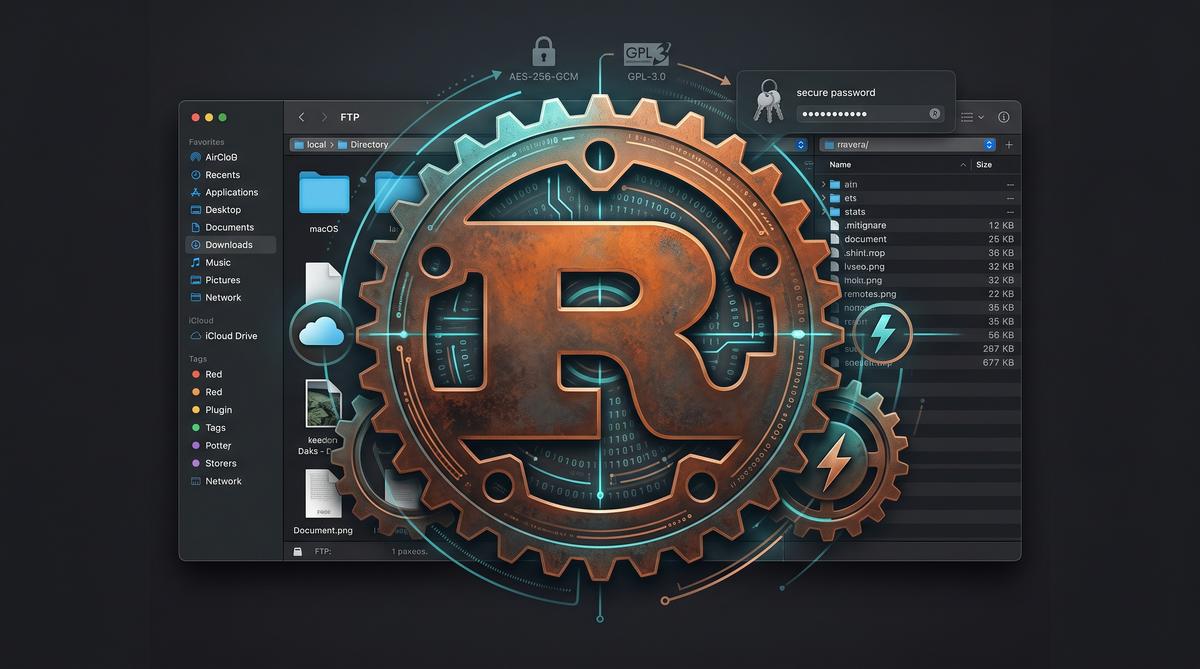
gmacFTP is a free, open-source FTP/FTPS/SFTP client built in Rust and designed exclusively for macOS. The project targets a specific gap in the macOS ecosystem: the absence of a fast, native file-transfer tool that does not rely on Electron or similar web-wrapper frameworks. It is dual-paneled, stores credentials in macOS Keychain, and encrypts configuration data using AES-256-GCM. The entire codebase ships under the GPL-3.0 license.
The macOS file-transfer landscape has long been dominated by tools that either feel outdated or carry unnecessary overhead. FileZilla uses X11 ports that look foreign on modern Macs. Cyberduck, while capable, runs on Java and carries the runtime weight that implies. Neither feels like a first-class citizen of macOS.
gmacFTP exists to fill that void. By compiling to a native binary through Rust, it avoids the memory footprint of web-based UI frameworks. The dual-panel layout draws inspiration from classic file managers like Norton Commander and Total Commander. This design lets users drag files between local and remote directories without opening multiple windows.
Security was a first-class design goal from the outset. The developer built credential storage around macOS Keychain rather than inventing a custom password vault. Configuration files containing server metadata receive AES-256-GCM encryption before touching disk. These choices matter more than ever.
How Does gmacFTP Compare to FileZilla and Cyberduck?
FileZilla and Cyberduck together cover most of the macOS file-transfer market, but both carry compromises that gmacFTP explicitly rejects. FileZilla stores passwords in plaintext XML files by default, a well-documented security weakness. Cyberduck depends on Java runtime, adding memory overhead and startup latency. gmacFTP avoids both pitfalls.
The table below summarizes the core differences across the three clients:
| Feature | gmacFTP | FileZilla | Cyberduck |
|---|---|---|---|
| Language | Rust | C++ | Java |
| UI Framework | Native macOS | wxWidgets (X11-style) | Cocoa (via Java) |
| Password Storage | macOS Keychain | Plaintext XML | Keychain |
| Config Encryption | AES-256-GCM | None | None |
| License | GPL-3.0 | GPL | Apache 2.0 |
| Electron Dependency | No | No | No |
| iCloud Sync | Yes | No | No |
| Startup Time | Fast | Moderate | Slow |
FileZilla remains popular because it works on every platform and handles basic transfers reliably. However, its macOS version is essentially a port, not a native application. Menu bars, keyboard shortcuts, and file dialogs behave inconsistently with macOS conventions. The interface also retains a distinctly Windows-centric aesthetic.
Cyberduck offers better macOS integration than FileZilla through its Cocoa-based UI layer. It supports a wide range of cloud storage backends beyond FTP. But the Java foundation means higher memory consumption and occasional UI stutter. Startup times lag noticeably behind native applications.
gmacFTP takes a different path entirely. The Rust compiler produces a single optimized binary with no runtime dependency. Memory usage stays low because there is no garbage collector or embedded browser engine. The interface respects macOS Human Interface Guidelines, including proper toolbar rendering and native drag-and-drop behavior.
Key architectural differences set gmacFTP apart from both incumbents:
- No plaintext password storage — credentials live exclusively in macOS Keychain, never in readable files
- AES-256-GCM config encryption — server bookmarks and connection metadata are encrypted at rest
- Zero runtime dependencies — no Java, no Electron, no Python, no framework bundles
- iCloud sync for connections — server lists sync across Macs through iCloud Drive
- Native macOS rendering — the UI uses native widgets, not cross-platform approximations
- Dual-panel by default — local and remote panes appear side by side without configuration
- GPL-3.0 licensed — the full source code is available for audit and community contribution
- Rust memory safety — the language’s ownership model eliminates entire classes of buffer overflow vulnerabilities
Why Rust Instead of Swift or Electron for an FTP Client?
Rust sits in a unique position between performance and safety. Unlike Electron, which bundles a full Chromium instance and JavaScript runtime, Rust compiles to native machine code. Unlike Swift, Rust has no macOS version lock-in at the compiler level. A Rust binary built today runs on older macOS versions without requiring the latest Xcode toolchain.
Electron-based FTP clients exist, but they consume 200-400 MB of RAM just to display a file list. The embedded Chromium engine handles rendering, networking, and process management. For a file-transfer tool, that overhead is disproportionate. Users gain no benefit from a browser engine when they simply need to move files between machines.
Swift would seem like the obvious choice for a macOS application. It is Apple’s recommended language and offers deep integration with system frameworks. However, Swift’s ABI stability requirements and version coupling can complicate distribution. A Swift app built with Xcode 16 may not run on macOS versions older than what that Xcode supports.
Rust avoids these constraints. The compiler produces a static binary with minimal dynamic library dependencies. Memory safety is enforced at compile time through the ownership and borrowing system. This eliminates null pointer dereferences, use-after-free bugs, and buffer overflows — the exact vulnerability classes that plague C-based network software.
The choice of Rust also reflects a broader trend in systems programming. Projects like Firefox’s Stylo engine, Cloudflare’s pingora, and parts of the Linux kernel now use Rust for safety-critical networking code. An FTP client handles untrusted network data continuously. Every server response, every directory listing, every file transfer is potentially hostile input. Rust’s type system provides defense in depth.
Performance is another factor. Rust’s zero-cost abstractions mean that high-level code compiles to instructions as efficient as hand-written C. File transfers are fundamentally I/O-bound operations, but protocol parsing, encryption, and checksum verification all benefit from CPU efficiency. Rust’s async runtime handles multiple concurrent transfers without thread-per-connection overhead.
How Does gmacFTP Handle Password Security and Encryption?
gmacFTP stores all credentials in macOS Keychain, Apple’s built-in secure credential manager. Keychain encrypts data using hardware-accelerated AES and ties access to the user’s login password. No FTP password ever touches a plaintext file on disk. This approach directly addresses the vulnerability that made FileZilla infamous.
FileZilla’s default behavior of writing passwords to recentservers.xml in plaintext has been documented for over a decade. Any process running under the user’s account can read that file. Malware, browser extensions, and even other users on shared systems can extract stored credentials trivially. gmacFTP eliminates this attack surface entirely.
Beyond Keychain storage, gmacFTP encrypts its configuration database using AES-256-GCM. This covers server bookmarks, connection metadata, path defaults, and log entries. Even if an attacker gains physical access to the Mac and extracts files from the application support directory, the configuration remains unreadable without the encryption key.
The choice of AES-256-GCM is deliberate. GCM (Galois/Counter Mode) provides authenticated encryption, meaning the system detects tampering attempts. If an attacker modifies the encrypted config file, the authentication tag validation fails before any data is processed. This prevents corruption-based attacks and ensures config integrity.
iCloud sync adds another layer to consider. When enabled, gmacFTP syncs server connections across Macs through iCloud Drive. The synced data includes connection parameters but excludes actual passwords — those remain locked to each machine’s local Keychain. A user with two Macs sees the same server list on both, but must authenticate separately on each device. This separation preserves security while improving convenience.
What File Transfer Protocols Does gmacFTP Support?
gmacFTP supports three transfer protocols: plain FTP, FTPS (FTP over TLS), and SFTP (SSH File Transfer Protocol). These cover the vast majority of remote file-access scenarios on macOS. Each protocol implementation handles authentication, encryption, and data integrity differently.
FTP (File Transfer Protocol) is the legacy standard defined in RFC 959. It sends credentials and data in cleartext over the network. gmacFTP includes FTP support for compatibility with older servers, but the application’s UI discourages its use. Plain FTP has no encryption, meaning passwords and file contents are visible to anyone with network access. On untrusted networks like public Wi-Fi, plain FTP is a credential leak waiting to happen.
FTPS (FTP over TLS) adds Transport Layer Security to the FTP protocol. It comes in two modes: explicit TLS (FTPES), where the client requests TLS upgrade after connecting, and implicit TLS, where the connection starts encrypted from the start. gmacFTP supports both modes. FTPS protects credentials and data in transit while preserving the FTP command structure. This makes it suitable for servers that already support FTP but need a security upgrade.
SFTP (SSH File Transfer Protocol) is entirely different from FTP at the protocol level. It runs over SSH, typically on port 22. SFTP provides encrypted authentication, encrypted data transfer, and integrity verification as native features. Most modern Linux servers enable SFTP by default through OpenSSH. gmacFTP’s SFTP implementation supports public key authentication, password authentication, and agent-based authentication for hardware security keys.
The protocol matrix below summarizes the security properties:
| Protocol | Encryption | Default Port | Key Exchange | gmacFTP Support |
|---|---|---|---|---|
| FTP | None | 21 | None | Yes (legacy compat) |
| FTPS (explicit) | TLS | 21 | TLS handshake | Yes |
| FTPS (implicit) | TLS | 990 | TLS handshake | Yes |
| SFTP | SSH | 22 | SSH key exchange | Yes |
Protocol selection matters for security. CERT Orange’s threat landscape reports consistently flag unencrypted file transfers as an attack vector (CERT Orange, 2026). SFTP should be the default choice whenever the server supports it. FTPS is the next best option for servers without SSH access. Plain FTP should only appear on trusted internal networks.
gmacFTP exposes protocol selection during connection setup. The client automatically negotiates the strongest cipher suites available for both FTPS and SFTP connections. For SFTP, this includes modern key exchange algorithms like Curve25519 and authenticated ciphers like ChaCha20-Poly1305. For FTPS, the TLS negotiation follows Apple’s Secure Transport guidelines, preferring forward-secret cipher suites and rejecting deprecated protocols like SSLv3 and TLS 1.0.
How Does iCloud Sync Work Across Multiple Macs?
gmacFTP stores connection profiles and server credentials in an encrypted container that syncs through iCloud Drive. The sync mechanism uses AES-256-GCM encryption before any data leaves the local machine, meaning Apple’s servers only see ciphertext. This matters for developers working across a desktop and a laptop. Configuration stays consistent without manual export.
The synchronization targets the ~/Library/Mobile Documents/ directory, which macOS natively syncs through iCloud. When a user adds a new SFTP connection on one Mac, the encrypted blob propagates to other signed-in devices within seconds. The local Keychain still holds the decryption key. Apple never receives plaintext passwords.
This approach differs from tools like FileZilla, which store credentials in an XML file with optional master-password encryption. FileZilla offers no built-in cloud sync. Users must manually copy configuration files or use third-party sync solutions. gmacFTP handles this natively.
For teams, this raises a question. Should you sync production credentials through iCloud? The encryption is solid, but a compromised Apple ID could expose the encrypted container. The attacker would still need the Keychain decryption key locally. That said, shared team credentials are better managed through a dedicated secrets manager rather than any file-transfer tool’s sync feature.
What Does the Dual-Panel Interface Bring to File Management?
The dual-panel layout displays a local directory tree on the left and a remote server listing on the right. This design dates back to Norton Commander in the 1980s, and it remains the fastest way to move files between two locations. Drag-and-drop works between panels. Keyboard shortcuts handle the rest.
Rust’s performance characteristics make this interface particularly responsive. Unlike Electron-based clients, where each panel render passes through Chromium’s rendering pipeline, gmacFTP draws directly through native macOS APIs. Scrolling through directories with thousands of files produces no lag. Directory listings appear almost instantly after the initial SFTP handshake.
The interface supports tabbed browsing on each panel, so a user can connect to a staging server on one tab and a production server on another. Transfer queues display progress indicators inline. Failed transfers show error codes directly in the panel rather than in a separate log window that users must hunt for.
Compared to Cyberduck’s single-pane browser approach, the dual-panel model reduces cognitive overhead. You see source and destination simultaneously. No modal transfer windows interrupt the workflow. The file manager behaves like an extension of Finder rather than a separate application context.
Is gmacFTP Truly Free and Open Source?
Yes. The project is licensed under GPL-3.0, and the full source code is available on GitHub. Anyone can inspect the implementation, verify the cryptographic routines, or contribute patches. There is no premium tier, no telemetry, and no feature gated behind a license key.
The GPL-3.0 license ensures that any derivative work must also remain open source. This matters for security-conscious organizations. A proprietary FTP client could introduce silent updates that change how credentials are stored or transmitted. With gmacFTP, the community can audit every commit. The build process is reproducible from source.
Open-source software in institutional settings is gaining traction beyond individual developers. Poland’s Ministry of Culture is preparing an open-source pilot program for local government administration, and the Instrat Foundation has advised against treating cloud solutions as incompatible with this direction. If public institutions can trust auditable open-source tools for civic infrastructure, individual developers and small teams can reasonably trust a GPL-licensed FTP client for file transfers.
Funding remains a question. The project accepts donations but does not monetize features. Sustainability depends on community engagement and contributor interest. For now, the code is actively maintained.
How Does gmacFTP Fit Into the Current macOS Security Landscape?
macOS faces a growing range of security threats that make credential storage decisions critical. CERT Orange’s threat landscape report from June 29, 2026 documented a new macOS backdoor called Gaslight, demonstrating that Apple’s platform is now a primary target for sophisticated attackers. Any application handling server credentials must assume the operating system itself may be compromised.
gmacFTP mitigates this by delegating secret storage to macOS Keychain rather than implementing its own credential database. Keychain benefits from hardware-level isolation through the Secure Enclave on Apple Silicon Macs. Even if an attacker gains user-level access, extracting Keychain entries requires additional authentication. Passwords never sit in plaintext on disk.
The broader infrastructure that FTP clients connect to is equally vulnerable. QNAP recently patched 14 vulnerabilities in its NAS systems, several of which allowed remote attackers to execute code without authentication. A compromised NAS could attempt to capture credentials from connecting clients. gmacFTP’s use of SFTP with strong host-key verification helps detect man-in-the-middle attacks that a compromised server might enable.
Local connectivity features also present risks. Vulnerabilities in AirDrop and Quick Share demonstrated that a single malicious file could compromise nearby devices through proximity-based protocols. While gmacFTP does not use these frameworks, the lesson applies: every network-facing feature is an attack surface. Minimizing dependencies on third-party frameworks reduces exposure.
Who Should Switch to gmacFTP?
gmacFTP targets macOS users who need reliable SFTP access without the overhead of cross-platform frameworks. Web developers managing deployments to Linux servers will find the dual-panel interface familiar and fast. The native performance avoids the memory overhead that Electron-based tools impose. On a Mac with 8 GB of RAM, that overhead matters.
System administrators who maintain dozens of server connections benefit from iCloud sync between workstations. The encrypted credential replication means a connection configured on an office iMac is available on a MacBook Pro in the field. No manual configuration export is needed.
Users currently on FileZilla who are frustrated by the lack of native macOS integration should consider the switch. FileZilla’s UI relies on wxWidgets, which does not feel native on macOS. Context menus, keyboard shortcuts, and window behavior differ from system conventions. gmacFTP uses standard macOS interface elements throughout.
Cyberduck users who want a dual-panel workflow rather than a single-browser model also fit the target audience. Cyberduck is solid and supports many protocols, but its interface requires switching between local and remote views manually. gmacFTP shows both simultaneously.
Security-conscious users who want to audit their tools will appreciate the GPL-3.0 license. The Rust codebase is approachable for anyone with systems programming experience. Cryptographic implementations can be verified independently.
Frequently Asked Questions
Can gmacFTP replace FileZilla completely on macOS?
For most SFTP and FTPS workflows, yes. gmacFTP supports the same protocols and adds native macOS integration that FileZilla lacks. However, FileZilla supports older plain FTP connections and runs on Windows and Linux, which gmacFTP does not target. Users who need cross-platform consistency or legacy FTP should keep FileZilla installed.
Does gmacFTP store passwords locally or in the cloud?
Passwords are stored in the macOS Keychain locally on each device. For multi-device sync, connection metadata is encrypted with AES-256-GCM and propagated through iCloud Drive, but Apple servers only receive ciphertext. The decryption key remains in the local Keychain on each Mac, so neither Apple nor the iCloud sync process can access plaintext credentials.
How does gmacFTP compare to Cyberduck in terms of speed?
gmacFTP is compiled Rust with native macOS rendering, while Cyberduck runs on Java and uses the Cocoa framework through a bridge. Rust’s lack of garbage collection and direct system calls give gmacFTP an advantage in transfer throughput and UI responsiveness, particularly when listing directories with thousands of files. No independent benchmarks have been published yet, but the architectural difference is clear.
Is gmacFTP safe to use given recent macOS security threats?
No tool is completely safe on a compromised system, but gmacFTP minimizes its attack surface. The CERT Orange report from June 29, 2026 documented the Gaslight backdoor targeting macOS, which reinforces the importance of using tools that delegate credential storage to Keychain rather than custom databases. gmacFTP’s reliance on native macOS security APIs and its open-source codebase allowing community audits make it a reasonable choice for security-conscious users.
Summary
- Native Rust performance eliminates the memory overhead and UI lag associated with Electron-based file-transfer clients.
- Keychain integration with AES-256-GCM encryption for iCloud sync ensures credentials never leave the device in plaintext.
- GPL-3.0 licensing allows full security audits and community contributions without locked-in premium features.
- Dual-panel interface provides faster file management than single-browser alternatives like Cyberduck.
- Protocol support covers SFTP and FTPS, making it a viable replacement for FileZilla on macOS for modern workflows.
If you spend hours each week transferring files to remote servers, the tool you use matters. gmacFTP offers a combination of speed, security, and native design that proprietary alternatives struggle to match. Try it from the GitHub repository and audit the code yourself.