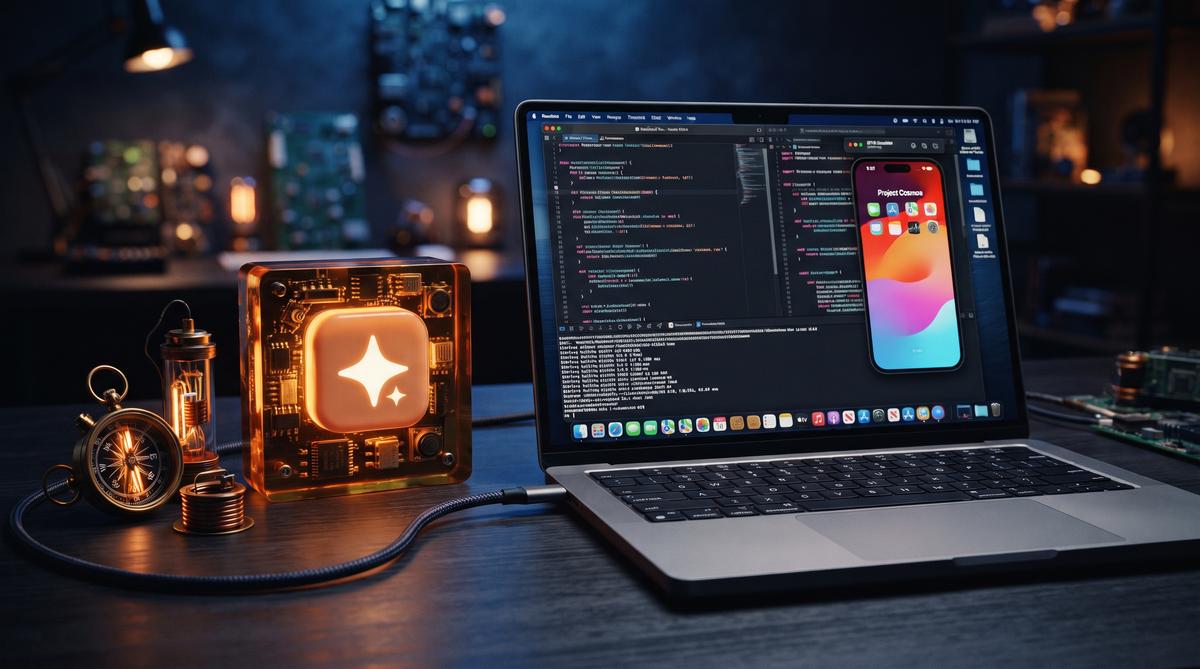
On July 21, 2026, Anthropic shipped a feature that bridges AI-assisted development and native iOS testing. Claude Code Desktop now embeds Apple’s iOS Simulator directly inside its macOS app. Developers can build, run, and test iPhone applications in a side panel without ever leaving the AI conversation interface.
TL;DR: On July 21, 2026, Anthropic launched public beta support for Apple’s iOS Simulator directly within the Claude Code Desktop app. Developers on Pro, Max, and Team plans can now build, run, and test iPhone apps in a side panel without leaving the AI conversation interface. The integration supports real-time interaction and iterative code improvement during local sessions.
What Did Anthropic Add to Claude Code on July 21, 2026?
Anthropic added a native iOS Simulator pane to the Claude Code Desktop application for macOS, giving developers a unified workspace where AI assistance and live app testing coexist. The feature entered public beta on July 21, 2026, and is available to subscribers on Pro, Max, and Team plans. According to MacRumors, the integration lets users build and run iOS apps with the simulator opening in a panel right beside the ongoing conversation with Claude.
This eliminates a long-standing friction point in AI-assisted mobile development. Previously, a developer using Claude Code would ask the assistant to generate or modify Swift code, then manually switch to Xcode, compile the project, launch the simulator, and observe the results. That back-and-forth consumed time and broke concentration. Now the loop tightens considerably.
The announcement came through Anthropic’s @ClaudeDevs account on X, which stated: “Build and run your iOS app, and the simulator opens in a panel right next to your conversation.” MacObserver confirmed that the feature covers the full cycle — building, running, testing, and debugging iPhone apps — all within the Claude Code Desktop window.
AlternativeTo’s coverage noted that the pane is embedded directly in the macOS application rather than functioning as a separate window or external tool. 9to5Mac described it as bringing “live iOS app testing” into the Mac app, emphasizing the real-time nature of the integration. Developers no longer need to context-switch between their AI assistant and Apple’s development tools.
How Does the Integrated iOS Simulator Pane Actually Work?
The iOS Simulator pane operates as an embedded view within the Claude Code Desktop application, rendering the standard Apple Simulator output in a panel adjacent to the conversation thread. When Claude Code compiles and launches an iOS project, the simulator output appears inline. The developer sees the virtual iPhone screen next to the chat where code edits are discussed and generated.
According to 9to5Mac, the simulator runs locally on the developer’s Mac during what Anthropic describes as “local sessions.” This means the compilation pipeline uses the machine’s own Xcode toolchain and simulator runtime — Claude Code orchestrates the build process but the actual execution happens on Apple’s native infrastructure. The desktop app acts as a container that surfaces the simulator’s visual output.
Borncity’s coverage highlighted that the simulator enables real-time interaction, meaning developers can tap, scroll, and interact with the running application inside the pane. As changes are discussed and Claude generates updated code, the developer can rebuild and immediately observe the results. This iterative loop — code, build, test, observe — stays within a single window.
The integration does not replace Xcode as a build engine. Instead, Claude Code invokes the underlying command-line tools and simulator infrastructure that Xcode provides. The project’s source files, build settings, and dependencies remain standard iOS development artifacts. What changes is the interface: instead of managing these steps across multiple applications, the developer conducts the entire workflow from the Claude Code Desktop pane.
Which Claude Code Subscription Plans Get Access to the Beta?
Access to the iOS Simulator integration is limited to three subscription tiers: Pro, Max, and Team plans. Anthropic confirmed this in the initial announcement, and multiple sources — including AlternativeTo, MacObserver, and Apfeltalk — independently verified the eligibility requirements. The feature is part of the public beta program, meaning eligible subscribers can opt in without a separate waitlist or application.
The Pro plan represents Anthropic’s standard paid tier for individual developers. Max is the higher-capacity individual plan, offering increased usage limits for heavier workloads. Team plans serve organizations where multiple developers collaborate through Claude Code. Users on the free tier or lower-tier plans do not currently have access to the simulator integration.
Iphone-ticker.de noted that the beta is available exclusively on Mac, which aligns with the technical reality that Apple’s iOS Simulator only runs on macOS. There is no Windows or Linux path to this feature. The restriction is not Anthropic’s policy but a fundamental constraint of Apple’s development ecosystem.
Pricing details for the eligible plans remain unchanged for the beta period. Anthropic has not indicated whether the iOS Simulator integration will eventually require a premium add-on or remain bundled with existing subscriptions. The public beta designation suggests the company is gathering feedback and iterating before finalizing the feature’s long-term availability and pricing structure.
Can Claude Code Interact With the Simulator in Real Time?
Yes. The iOS Simulator integration supports real-time interaction between the developer, the running application, and the AI assistant. Borncity explicitly reported that the simulator enables “Echtzeit-Interaktion” — real-time interaction — and iterative code improvement during active sessions. Developers can manipulate the simulated iPhone’s interface directly within the Claude Code Desktop pane.
The workflow operates as a continuous feedback loop. A developer describes a change or a bug to Claude, the assistant generates or modifies the relevant Swift or Objective-C code, the project rebuilds, and the updated application appears in the simulator pane. The developer then interacts with the app — tapping buttons, navigating screens, entering text — to verify the behavior. If something breaks, the developer reports back to Claude and the cycle repeats.
This real-time capability distinguishes the integration from simpler code-generation tools that merely output text. MacObserver’s coverage confirmed that the feature encompasses not just building and running but also testing and debugging, implying that Claude Code can observe or respond to the simulator’s state during a session. The assistant has visibility into the development context.
However, the sources do not indicate that Claude autonomously drives the simulator — clicking buttons or navigating the app without human direction. The interaction model remains developer-initiated. Claude generates code and initiates builds; the human tests and validates. The simulator pane serves as a shared visual space where both the developer’s manual input and Claude’s code changes manifest as observable results.
What Are the System Requirements for Running the iOS Simulator Integration?
The iOS Simulator integration requires a Mac running macOS with Xcode installed, since the feature depends on Apple’s native Simulator runtime and build toolchain. Apfeltalk confirmed the feature is exclusive to the macOS version of Claude Code Desktop, and Iphone-ticker.de reinforced that the beta is available “auf dem Mac” — on the Mac specifically.
Developers need a valid installation of Xcode, which provides the simulator infrastructure, SDK files, and compilation tools that Claude Code invokes. The standard Xcode requirements apply: sufficient disk space for simulator runtimes, adequate RAM for running both the Claude Code Desktop app and a simulated iOS environment simultaneously, and a compatible version of macOS as specified by Apple’s current Xcode release.
Newsbytesapp described the feature as enabling development “during local sessions,” which underscores that the processing happens on the developer’s hardware. There is no cloud-based simulation component. The Mac’s CPU and GPU handle the simulator rendering, while Claude Code’s AI operations run through Anthropic’s servers via network connection.
Specific minimum specifications — RAM thresholds, macOS version numbers, Xcode version requirements — were not detailed in the announcement coverage. Developers attempting to use the beta should ensure their Xcode installation is current and functional before enabling the simulator pane. The feature inherits all of Apple’s standard prerequisites for iOS Simulator usage, since it interfaces with the same underlying technology.
How Does This Change the AI-Assisted iOS Development Workflow?
The integration eliminates the constant context-switching between a code editor, terminal, and separate Simulator window. Developers previously had to manually trigger builds, switch to Xcode or the Simulator app, test changes, then return to their AI tool with observations. Now, Claude Code can handle the entire loop autonomously.
According to Anthropic’s announcement, the simulator opens as an embedded panel directly beside the conversation interface, letting developers observe app behavior while Claude iterates on the code. This proximity matters. The AI can write code, compile it, launch it in the simulator, and receive visual feedback — all within a single session. MacObserver notes that developers can build, run, test, and debug iPhone apps without leaving the Claude Code environment.
The workflow shift is significant for rapid prototyping. A developer can describe a UI change in natural language, and Claude Code applies the modification, rebuilds the project, and displays the result in real time. BornCity’s coverage highlights that the simulator enables real-time interaction and iterative code improvement directly within the AI environment. This tight loop reduces friction dramatically.
ApfelTalk reports that the feature connects the desktop version of Claude Code directly to the iOS Simulator, making the development cycle considerably more compact. Previously, AI-assisted iOS development required copying generated code into Xcode, managing dependencies there, and running tests manually. The new pane consolidates these steps.
Does the Integration Require Special Permissions or Provisioning?
No special permissions or provisioning profiles are required to use the iOS Simulator integration. Ad-Hoc-News specifically reports that Claude Code Desktop allows iOS app testing without additional entitlements or certificates. This is a deliberate design choice by Anthropic.
The iOS Simulator has always operated differently from physical device deployment. Apple’s Simulator runs apps on the Mac’s architecture using a simulated iOS environment, which means no code signing or developer certificates are necessary. This removes a major barrier. Developers do not need a paid Apple Developer Program membership just to test within the Simulator pane.
According to MacRumors, Claude Code accesses the Simulator through standard macOS developer tools that ship with Xcode. If you have Xcode installed and the iOS Simulator framework available on your Mac, Claude Code can interface with it directly. The integration leverages existing system components.
AlternativeTo confirms the feature is available in public beta for Pro, Max, and Team plans, meaning subscribers on these tiers can activate it without separate configuration. The setup appears minimal. Once enabled in the Claude Code Desktop app, the simulator panel becomes available as part of the standard development workflow.
This stands in contrast to physical device testing, which still requires proper provisioning profiles, device registration through Apple’s Developer portal, and trusted certificates. The Simulator pane sidesteps all of that complexity entirely.
How Does Claude Code’s Simulator Support Compare to Xcode?
Claude Code’s simulator integration does not replace Xcode — it builds on top of it. The Simulator pane in Claude Code uses the same underlying iOS Simulator engine that ships with Xcode, meaning rendering accuracy and system behavior are identical. The difference lies in the interface and workflow.
Xcode remains the primary tool for complex project configuration, interface builder work, asset catalog management, and App Store submission. Claude Code’s pane focuses on the build-run-test cycle. iGeeksBlog describes the integration as allowing developers to build, run, and test iPhone apps in one place, but this does not extend to Xcode’s full suite of debugging instruments.
| Feature | Claude Code Pane | Xcode |
|---|---|---|
| Build and run | Yes | Yes |
| Visual testing | Yes (side panel) | Yes (full window) |
| Interface Builder | No | Yes |
| Instruments profiling | No | Yes |
| AI-driven iteration | Yes | No |
| App Store submission | No | Yes |
| Breakpoint debugging | Limited | Full |
| Asset catalog editing | No | Yes |
The advantage Claude Code offers is speed in the iteration loop. When a developer asks Claude to fix a layout issue, the AI can modify the Swift or SwiftUI code, recompile, and show the visual result in seconds. 9to5Mac notes that the feature brings live iOS app testing into the Mac app, reducing the back-and-forth typically required.
Xcode users still need the full IDE for tasks like configuring entitlements, managing scheme settings, or running performance analysis with Instruments. Claude Code targets the prototyping and development phase rather than the final production pipeline.
What Limitations Does the Current Beta Have?
The iOS Simulator integration is currently in public beta, and several limitations apply. First, the feature is exclusive to macOS — there is no Windows or Linux support. The iOS Simulator itself is a macOS-only component, so this restriction stems from Apple’s ecosystem rather than Anthropic’s choices.
According to AlternativeTo, the beta is limited to Pro, Max, and Team plan subscribers. Users on the free tier or lower-cost plans do not have access yet. Anthropic has not announced whether the feature will expand to additional plans.
The integration also inherits all standard iOS Simulator limitations. The Simulator cannot test hardware-specific features like the camera (beyond basic simulation), accelerometer, gyroscope, or Bluetooth in meaningful ways. Cellular behavior and certain GPU performance characteristics differ from real devices.
Key limitations include:
- macOS only — no Windows or Linux availability
- Plan restrictions — requires Pro, Max, or Team subscription
- No physical device deployment — Simulator only, no direct iPhone installation
- Hardware sensor gaps — camera, gyroscope, and accelerometer are simulated or unavailable
- Performance differences — Mac hardware does not reflect iPhone thermal and battery constraints
- No App Store packaging — the pane handles testing, not distribution
- Beta stability — users may encounter crashes or incomplete features
- Xcode dependency — the Simulator engine requires Xcode tools installed on the Mac
MacRumors notes that the feature launched as a public beta on July 21, 2026, meaning rough edges are expected. Developers relying on the integration for production deadlines should account for potential instability during this phase.
What Does This Mean for the Future of AI-Assisted Mobile Development?
The integration signals a broader trend: AI coding tools are moving from text generation into full visual development environments. By embedding the Simulator directly in the conversation pane, Anthropic demonstrates that AI can participate in the visual feedback loop — not just write code, but observe results and iterate.
This has implications for how mobile apps get built. A developer can describe a screen layout, see it rendered immediately, and ask for adjustments based on what appears in the panel. The iteration cycle shrinks from minutes to seconds. BornCity describes this as enabling AI-driven app development where real-time interaction becomes the default.
The logical extension is Android emulator support, though no announcement exists yet. If AI coding tools standardize embedded simulators, the traditional split between “writing code” and “testing the result” dissolves. MacObserver’s coverage frames the feature as letting developers build, run, test, and debug in one environment — a workflow previously requiring multiple applications.
For the iOS development community specifically, this lowers the barrier for rapid prototyping. Small teams and solo developers can iterate on UI and logic without deep Xcode expertise. The Simulator pane handles the plumbing. Anthropic’s decision to ship this as a public beta suggests the company views mobile development as a priority vertical for Claude Code’s roadmap.
Frequently Asked Questions
Is the iOS Simulator integration available on Windows or Linux?
No. The integration is exclusive to macOS because it relies on Apple’s iOS Simulator, which only runs on Mac hardware. AlternativeTo confirms the feature is available only in the Claude Code Desktop app for Mac users on Pro, Max, and Team plans. Windows and Linux users cannot access this pane.
Can Claude Code deploy apps to a physical iPhone through this feature?
No. The integration works exclusively with the iOS Simulator, not physical device deployment. Ad-Hoc-News reports that Claude Code Desktop allows iOS app testing without special permissions, which is possible because the Simulator does not require provisioning profiles or device registration. Deploying to a real iPhone still requires Xcode and a valid Apple Developer certificate.
Does the simulator integration work with iPad apps as well?
The iOS Simulator supports iPad form factors, and Claude Code’s integration uses this same engine. MacObserver notes that the feature lets developers build, run, test, and debug iPhone apps in public beta. While the Simulator can render iPad-sized windows, Anthropic’s announcement specifically references iPhone app workflows, and iPad-specific testing has not been explicitly detailed.
Will the iOS Simulator feature remain free after the beta ends?
The feature is not free — it requires a paid subscription. AlternativeTo states that the public beta is available for Pro, Max, and Team plans, which range from $17 to $100 per month depending on the tier. Anthropic has not announced pricing changes or plan availability for when the beta concludes.
Summary
The iOS Simulator integration in Claude Code Desktop represents a concrete step toward unified AI-assisted mobile development. Key takeaways:
- Embedded simulator pane — developers can build, run, and test iOS apps directly beside their Claude Code conversation without switching to Xcode
- No special permissions required — the Simulator operates without provisioning profiles or Apple Developer certificates, lowering the barrier for prototyping
- macOS exclusive — the feature depends on Apple’s Simulator engine and is unavailable on Windows or Linux
- Plan-gated beta — access requires a Pro, Max, or Team subscription, with general availability details unannounced
- Complements rather than replaces Xcode — the pane handles the build-test loop but lacks Interface Builder, Instruments profiling, and App Store submission capabilities
For developers already in Anthropic’s ecosystem, the integration removes one of the most tedious parts of AI-assisted iOS work: manually copying code into Xcode and running builds. The simulator pane keeps the entire iteration cycle visible. Whether Anthropic extends this model to Android emulators or physical device testing remains an open question — but the direction is clear. Read the full announcement on MacRumors and 9to5Mac.