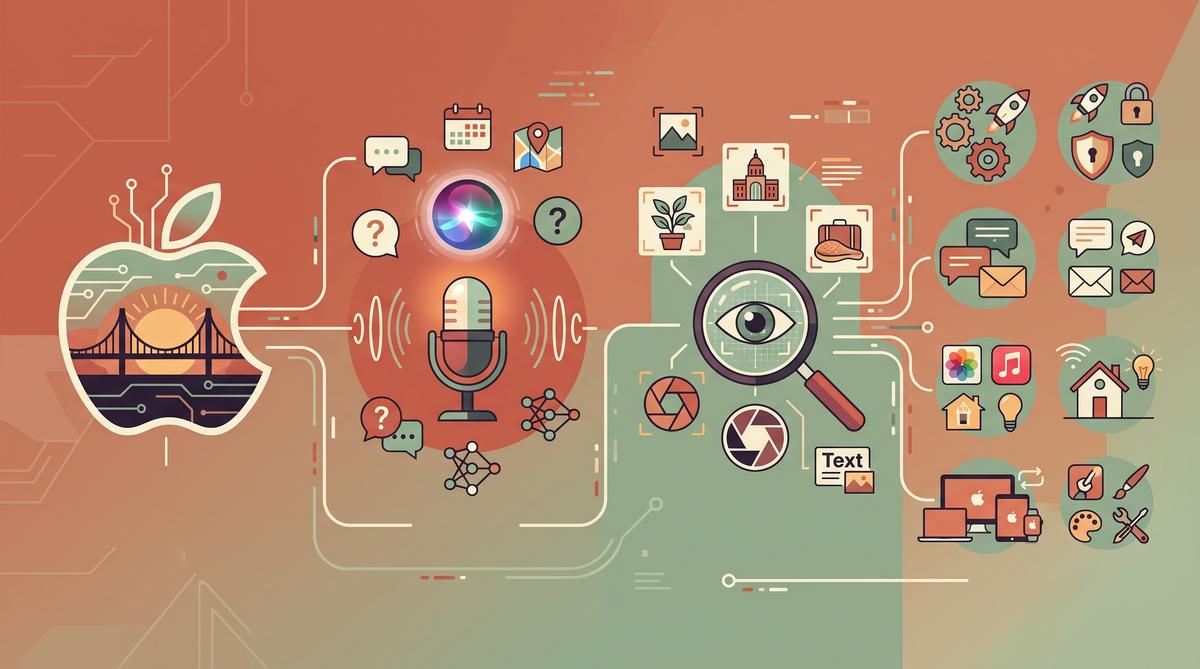
Apple released macOS 27 “Golden Gate” on September 14, 2026, and the headline feature has been years in the making. Siri AI, with personal context awareness and the ability to act on what’s on your screen, finally ships on the Mac. The release also refines the Liquid Glass design language and upgrades Safari, but the fine print matters: Golden Gate runs only on Apple silicon.
TL;DR: Apple shipped macOS 27 Golden Gate on September 14, 2026, bringing the long-promised Siri AI with personal context awareness, Visual Intelligence for acting on onscreen content, refined Liquid Glass visuals, and smarter Safari tools. The update requires Apple silicon and supports only M1 or newer Macs. It is also the last macOS version to include Rosetta for Intel apps, according to Ars Technica.
What Is macOS Golden Gate and Why Does Apple Call It a Turning Point?
macOS Golden Gate is Apple’s major annual release for the Mac, and it lands with a clear theme: on-device AI woven into everyday system surfaces. Siri AI, Visual Intelligence, and a redesigned Spotlight sit at the center of the update, alongside refinements to Safari, Mail, Photos, and the Liquid Glass visual style introduced in the previous generation.
The “turning point” framing comes from two decisions Apple made simultaneously. First, the company bet the release on Siri AI delivering on promises that slipped repeatedly since the original announcement. Second, Golden Gate drops support for Intel Macs entirely, requiring an Apple chip — M1 or newer — making it the first macOS release in the Apple silicon era that no Intel machine can run.
After months of beta testing, reviewers describe the result as a mix rather than a revolution. AppleInsider calls Siri AI “mostly fantastic” while acknowledging rough edges elsewhere, and Tom’s Guide’s three-month review concludes it is “not a major update” even though the new Siri makes the experience smoother. That combination — modest overall, but meaningful at the AI layer — is exactly what defines this release.
How Does the New Siri AI Actually Work on the Mac?
The redesigned Siri AI is built around personal context awareness. It can draw on information stored across your Mac — messages, files, mail, calendar entries — to answer questions and complete tasks, rather than treating every request as an isolated query. Ask about a flight mentioned weeks ago in an email, and Siri can find it and act on it.
On the Mac specifically, Siri AI is embedded directly into system surfaces. Testing by Gadget Hacks found that Apple put the assistant into Spotlight, the right-click context menu, and the system-wide “Search or Ask” bar shown at the top of the desktop. That placement matters: instead of summoning a floating assistant window, you invoke AI from the exact spot where you’re already working.
Where Siri AI genuinely shines, according to hands-on testing, is Shortcuts integration. Gadget Hacks concluded that “Shortcuts steal the show,” with Siri able to chain multi-step automations across apps in ways the old assistant never managed. TechCrunch frames the feature as a direct challenge to third-party AI productivity apps, since Apple now offers comparable on-device automation for free.
One caveat: Engadget reports that availability is still being worked out for users in the EU and China, so the full Siri AI experience isn’t uniform worldwide.
What Is Visual Intelligence and Where Does It Show Up in macOS 27?
Visual Intelligence is the second pillar of Golden Gate, and it solves a different problem than Siri: acting on what’s already on your screen. Instead of describing a task to an assistant, you point the system at content — an image, a document, a product, a block of text — and Visual Intelligence offers relevant actions for it.
On the Mac, the feature surfaces through the same integration points as Siri AI. The right-click context menu becomes an AI entry point: select content anywhere in the system, and Visual Intelligence can analyze it, extract information, or suggest follow-up actions. Webpronews describes it as “Visual Intelligence for onscreen actions,” pairing it directly with Siri AI’s context awareness as the release’s two headline capabilities.
The practical effect is that AI stops being a destination app. You don’t switch contexts to use it. Reviews of the beta cycle suggested this onscreen-first approach is what separates Golden Gate from previous Siri updates, which mostly added a better chat window without changing how the rest of the system behaved. Combined with the updated Spotlight, the Mac gains a layer of intelligence that follows your selection rather than waiting for a command.
Which Macs Can Run Golden Gate and Why Does Apple Silicon Matter Now?
Golden Gate requires an Apple chip. MacRumors’ feature guide states it plainly: “The new version of macOS requires an Apple chip, so if you have a Mac with an M1 or” newer model, you’re eligible. Every Intel Mac — including the final Intel MacBook Pro models sold as recently as a few years ago — is locked out of the release.
The supported machines include:
- MacBook Air with M1, M2, M3, or M4
- MacBook Pro with M1 or later Apple silicon
- iMac with M1 or later
- Mac mini with M1 or later
- Mac Studio with M1 Max, M1 Ultra, or later
- Mac Pro with M2 Ultra or later
Why the hard cutoff now? The Siri AI and Visual Intelligence features in Golden Gate depend heavily on the Neural Engine built into Apple silicon, which handles on-device AI processing. Running these workloads on Intel Macs without that hardware would either require cloud round-trips for everything or deliver unacceptable performance.
The upgrade is delivered as a free software update through System Settings on compatible machines. If your Mac predates 2020, Golden Gate is the line where your upgrade path ends.
What Happens to Rosetta and Intel Apps in This Release?
Rosetta, the translation layer that has let Apple silicon Macs run Intel-only applications since the architecture transition began in 2020, reaches its end in Golden Gate. Ars Technica confirms this is “the last version of macOS to support Rosetta for Intel apps.”
The timeline Apple set is now concrete. After Golden Gate’s annual lifecycle runs its course, the following macOS release will ship without Rosetta, and Intel-only software will no longer run on current Macs at all. Developers have had over five years of warning since Rosetta 2 debuted, and most major applications have shipped native Apple silicon builds long ago.
For users, the practical advice is straightforward. Before installing Golden Gate, check which of your apps still rely on Rosetta — Activity Monitor’s “Kind” column identifies Intel processes, and the System Information tool lists software requiring the translation layer. Niche professional tools, legacy internal software, and abandoned utilities are the usual offenders.
If you depend on an Intel-only app, you have three options: find a native alternative, contact the developer about a port, or keep a separate Mac running an older macOS version. Once you move past Golden Gate, that safety net disappears permanently.## Frequently Asked Questions
When did macOS Golden Gate become available?
Apple released macOS Golden Gate to the public on September 14, 2026, as confirmed by MacRumors, 9to5Mac, and Engadget. The update followed months of beta testing and arrived alongside iOS 27 and Apple’s other major OS updates the same day.
Which Macs support macOS 27?
Golden Gate requires an Apple chip — an M1 or newer — according to MacRumors’ compatibility guide. No Intel Mac is supported, and the update is a free download from System Settings on eligible machines.
What is the new Siri AI on the Mac?
Siri AI in Golden Gate adds personal context awareness, letting the assistant draw on your files, messages, and mail to answer questions and complete tasks. It’s integrated into Spotlight, the right-click menu, and the system “Search or Ask” bar, and hands-on testing found its Shortcuts automation features are its strongest element.
Is this really the end of Rosetta?
Yes. Ars Technica reports Golden Gate is the last macOS version to include Rosetta support for Intel apps. After this release’s lifecycle, Intel-only applications will no longer run on Apple silicon Macs, so users should identify and replace dependent software before their next major upgrade.## Summary
macOS Golden Gate is a focused release with clear stakes. Here are the key takeaways:
- Siri AI finally ships with personal context awareness, embedded in Spotlight, the right-click menu, and the system Search or Ask bar — with Shortcuts integration as its standout strength.
- Visual Intelligence turns any onscreen content into an actionable target, making AI a system layer rather than a separate app.
- Apple silicon is now mandatory. Only M1 and newer Macs are supported; every Intel Mac is excluded.
- Rosetta’s days are numbered. Golden Gate is the final macOS release to include it, so audit your Intel-only apps now.
- Expectations should be calibrated. Reviewers call it a smooth, incremental update — transformative for AI features, modest elsewhere.
If your Mac is compatible, back up first, check for Rosetta-dependent software, then install Golden Gate and try the new Siri with a real multi-step Shortcuts workflow. That’s where the release proves itself.
How Did Apple Refine the Liquid Glass Design in macOS 27?
macOS 27 refines the Liquid Glass design language introduced in 2025, addressing the transparency and contrast complaints that dominated the last cycle. According to Ars Technica, this release brings “Liquid Glass refinements” that tone down translucency in system menus and windows, improving readability. The changes are visible across the menu bar, Control Center, and Dock, where materials now adapt more intelligently to the wallpaper behind them.
The tweaks are subtle rather than dramatic.
Windows gain slightly stronger borders, and text sits on more opaque backing surfaces in bright environments. Developers also received updated API guidance so third-party apps can match the new materials, which should close the visual gap between first-party and third-party software. Apple’s iconography remains largely unchanged, so users updating from the previous version will not need to relearn the interface. The overall effect is a design that keeps the glassy look but stops fighting the user’s eyes.
What Changed in Safari, Mail, Photos and Shortcuts?
Safari, Mail, Photos, and Shortcuts all received feature updates in Golden Gate, per 9to5Mac’s “everything new” rundown. Safari gained smarter built-in tools for summarizing and managing content, while Mail benefits from on-device categorization and better search. Photos picked up improved editing and organization features, and Shortcuts — perhaps the biggest winner — now integrates more deeply with Siri AI, letting automations trigger from natural language requests.
Shortcuts deserves special attention. Testing by Gadget Hacks found that “Shortcuts steal the show,” with Siri AI hooks placed directly into Spotlight and the right-click menu. That means you can launch a shortcut or ask Siri to run one without opening any app first. For power users, this turns Shortcuts from a niche tool into a genuine productivity layer across the whole system. Casual users still benefit from Safari and Photos updates, which work out of the box with no configuration.
Why Are Users in the EU and China Still Waiting on Full Siri AI?
The headline Siri AI experience is not shipping everywhere on day one. Engadget confirms plainly: “The kinks are still being worked out for users in the EU and China.” Regulatory requirements in the European Union, particularly around third-party access to AI features and data handling, are the stated obstacle there. In China, the delay relates to separate approval processes required for AI-powered services.
So what do those users actually get?
Macs in both regions receive the rest of Golden Gate — the Liquid Glass refinements, Safari tools, and app updates — but the personal-context Siri features are withheld until Apple clears local requirements. There is no public timeline for when the full Siri AI rollout reaches the EU or China. Apple has faced similar staged rollouts with earlier Apple Intelligence features, so this pattern is familiar. Buyers in those markets should assume the flagship feature arrives via a future update, not today.
What Do Early Reviews Say After Three Months With Golden Gate?
Tom’s Guide published a three-month verdict, and it is measured: “Although it’s not a major update, the new Siri AI and other features make the experience smoother.” Reviewers consistently single out Siri AI as the highlight. AppleInsider goes further, calling the release “a mix, but there are great improvements and Siri AI is mostly fantastic.”
Criticism clusters elsewhere.
Beyond Siri, reviewers characterize Golden Gate as an incremental update rather than a redesign, with the Liquid Glass changes being polish instead of transformation. WebProNews frames Apple’s strategy as a bet “that Siri AI will finally deliver on the Mac,” implying expectations remain high after years of underwhelming Siri performance. Gadget Hacks’ hands-on testing echoes the positive side, noting that Siri AI embedded in Spotlight and the right-click menu works better than the old assistant ever did. The consensus: install it for Siri, not for visuals.
Should You Upgrade to macOS Golden Gate Right Away?
For most users on Apple silicon, yes — with a small caveat about timing. The MacRumors feature guide notes that the update “requires an Apple chip, so if you have a Mac with an M1 or later” you are eligible. That is the first hard check: Intel Macs are out. The second consideration is Rosetta.
Ars Technica flags that Golden Gate “is also the last version of macOS to support Rosetta for Intel apps.” If you still depend on Intel-only software, this is your final safety window — upgrading now is fine, but you should plan a migration path, because the next macOS will remove that compatibility layer entirely.
Beyond compatibility, early stability reports after three months of public use are positive, and the beta period was lengthy. If Siri AI is available in your region and you own an M1 or newer Mac, the update is a safe, worthwhile install. EU and China users may prefer to wait for the full Siri rollout if that is the only feature they care about.
Frequently Asked Questions
When did Apple release macOS Golden Gate?
Apple released macOS Golden Gate (macOS 27) to the public on September 14, 2026, alongside iOS 27 and the company’s other major OS updates, as reported by Engadget and MacRumors.
Does macOS Golden Gate run on Intel Macs?
No. Per MacRumors, the update “requires an Apple chip,” meaning M1 or later. Additionally, Ars Technica reports this is the last macOS version to support Rosetta for Intel apps, so even Intel-app compatibility ends after this release.
What is Visual Intelligence in macOS 27?
Visual Intelligence is a feature that lets users act on what is on their screen — WebProNews describes it as providing “onscreen actions.” It works together with Siri AI, which is integrated into Spotlight and the right-click menu, so you can analyze or act on visible content without switching apps.
Is Siri AI available in the EU and China on day one?
No. Engadget confirms the full Siri AI experience is delayed in both regions, stating “the kinks are still being worked out for users in the EU and China.” EU users face regulatory requirements, while China requires separate AI service approvals; no launch date has been announced.
Summary
macOS Golden Gate is Apple’s most AI-focused Mac release to date, though its reach depends heavily on where you live. Here are the key takeaways:
- Siri AI with personal context awareness is the centerpiece, embedded in Spotlight and the right-click menu — and reviewers after three months call it mostly fantastic.
- Shortcuts integration is the sleeper hit, with hands-on testing showing natural-language automations now work system-wide.
- The EU and China do not get full Siri AI at launch, with regulatory hurdles in both regions and no announced timeline.
- Liquid Glass refinements improve readability but are polish, not a redesign.
- This is the last macOS to support Rosetta for Intel apps — plan migrations now.
If you are on an M1 or newer Mac, Golden Gate is a safe upgrade. Check the MacRumors feature guide for the ten features worth trying first.