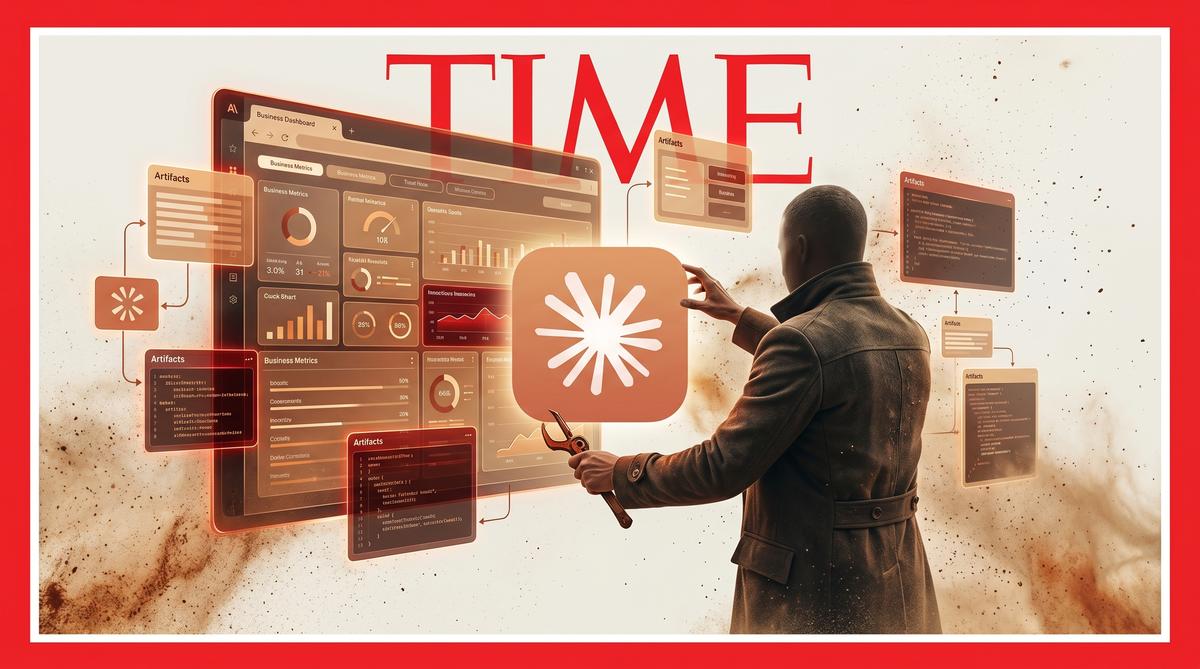
TL;DR: Anthropic launched Artifacts for Claude Code in beta, available on Team and Enterprise plans. The feature turns AI coding sessions into live, auto-updating HTML pages shareable via private links. Anthropic positions the terminal output as a collaborative canvas rather than just raw code.
Anthropic rolled out Artifacts for Claude Code on June 2, 2026, transforming terminal sessions into live, auto-updating web pages. Available in beta, the feature targets Team and Enterprise plans, letting developers share interactive project dashboards through private organizational links.
What Are Claude Code Artifacts and How Do They Work?
Artifacts in Claude Code are interactive web pages generated directly from active AI coding sessions. When a developer asks Claude to create an Artifact, the system converts the session’s output into a visual HTML page hosted at a private link. This page pulls from the full context of the ongoing session, capturing code, reasoning, and structural data. The Artifact updates automatically whenever the underlying session changes.
The core mechanic is continuous synchronization. As the developer continues working in the terminal, the shared Artifact reflects those changes in real time. Recipients view a living document rather than a static snapshot. Anthropic’s official Claude account on X described these as “interactive pages built from your session,” highlighting formats like PR walkthroughs and project dashboards.
The underlying system leverages Claude’s ability to parse its own terminal output into structured visual formats. A developer can request a page at any point during a session. Claude processes the current context, generates the appropriate HTML, and deploys it to a URL accessible within the organization.
This fundamentally shifts how teams consume AI-generated code. Instead of copying snippets from a terminal, teammates open a browser link to review formatted, interactive content. The Artifact remains live as long as the session continues running, meaning any subsequent prompts or code changes appear on the page without manual refreshes.
Which Plans Get Access to Claude Code Artifacts?
Access to Claude Code Artifacts is restricted to Team and Enterprise plans during the beta phase. Anthropic announced this limitation in its initial launch communications, with the ClaudeDevs account on X stating the feature is “available today on Team and Enterprise plans.” Individual Pro plan subscribers and free users do not currently have access to the feature.
The plan restriction aligns with Anthropic’s positioning of Artifacts as a collaborative, organizational tool. The sharing mechanism requires an enterprise context to function as designed. Private links are generated within an organization’s workspace, meaning the infrastructure for access control and permissions management operates at the plan level.
Beta status means the feature is still under active development. Anthropic has not publicly disclosed a timeline for broader availability or potential inclusion in lower-tier plans. The company typically uses beta periods to gather feedback from enterprise customers before refining features for wider release.
For organizations evaluating whether to adopt the feature, the distinction matters. A team must be on a qualifying plan to generate or view shared Artifact links. This creates a walled-garden environment where all participants need appropriate plan-level access to collaborate effectively.
How Do Shared Artifact Links Function Inside an Organization?
Shared Artifact links operate as private URLs accessible within an organization’s Claude environment. When a developer generates an Artifact, Claude creates a dedicated web page and produces a shareable link. This link restricts access to authorized members of the same organization, ensuring that internal code and project data remain within the company’s boundary.
The link persists as a live connection to the active coding session. According to The Decoder’s coverage, “the pages pull from the full session context, update automatically when something changes.” This means a developer can send a link to a colleague, continue working, and the colleague watches the page evolve without needing terminal access or direct Claude Code installation.
From a workflow perspective, this eliminates a significant friction point. A developer reviewing a pull request can generate a PR walkthrough Artifact, share the link in Slack or email, and teammates can review the visual breakdown asynchronously. The Artifact serves as a bridge between the terminal environment where Claude operates and the browser environment where most team communication happens.
The auto-update functionality distinguishes Artifacts from traditional screen sharing or static documentation. A colleague reviewing an Artifact at 2 PM sees a different state than someone reviewing it at 3 PM if the session has progressed. The page reflects the current reality of the development work.
What Use Cases Does Anthropic Highlight for Code Artifacts?
Anthropic highlights two primary use cases: pull request walkthroughs and living project dashboards. The official Claude account on X specifically mentioned “a PR walkthrough or a living project dashboard” as examples. These represent distinct but related needs in enterprise development workflows.
A PR walkthrough Artifact transforms code review from a text-based diff into an interactive narrative. Claude can structure the page to show what changed, explain why those changes matter, and present the logic in a format accessible to reviewers who may not be deeply familiar with the specific codebase. This addresses a common pain point in code review: context loss.
Living project dashboards serve a different function. A development team can use Claude Code to generate a page that tracks project metrics, displays current architecture, or summarizes recent commits. Because the Artifact auto-updates, the dashboard remains accurate without manual maintenance. VentureBeat’s coverage emphasized that “the most valuable output of an AI coding assistant isn’t just the code itself—it is the context, the reasoning.”
Additional scenarios emerge from these core patterns. A developer could create an Artifact documenting a debugging session, showing the progression from error to resolution. Another use involves onboarding documentation, where new team members explore an interactive map of a codebase generated from Claude’s analysis. The flexibility of HTML means the Artifact format adapts to whatever the session produces.
The common thread across all use cases is translation. Artifacts translate terminal output into a format consumable by people who don’t live in the terminal. This broadens the audience for Claude Code’s work beyond individual developers to include project managers, designers, and stakeholders.
How Do Artifacts Differ From the Original Claude Chat Feature?
Artifacts originally launched as a Claude chat feature in mid-2024, generating static visual outputs alongside conversation text. The new Claude Code Artifacts differ fundamentally because they pull from an active terminal session and update dynamically as work continues. The original chat version created snapshots — single moments frozen in time.
The Claude Code version creates living documents. According to the Claude Help Center documentation, Artifacts are dedicated windows displaying substantial, standalone content that users can edit, iterate, and reference separately from the main conversation thread. This separation matters for engineering teams who need persistent references.
VentureBeat reported that by turning the terminal into a collaborative canvas, Anthropic demonstrates that AI coding assistants produce value beyond raw code. The reasoning, the context, and the visual representation all carry weight. Artifacts capture that full picture.
The Decoder confirmed that Claude Code Artifacts pull from the full session context rather than a single prompt. This means an Artifact reflects hours of accumulated work, not just one response. Teams see the complete trajectory of a coding session.
Key differences between chat Artifacts and Claude Code Artifacts:
- Source material: Chat Artifacts come from individual prompts; Code Artifacts aggregate an entire terminal session
- Updating behavior: Chat versions are static; Code versions auto-update as the session progresses
- Sharing scope: Chat Artifacts live within a conversation; Code Artifacts generate private organizational links
- Use cases: Chat suits one-off visualizations; Code targets PR walkthroughs and project dashboards
- Data depth: Chat reflects single exchanges; Code captures full contextual history
- Audience: Chat serves individual users; Code targets team collaboration
- Persistence: Chat Artifacts end with the conversation; Code Artifacts remain accessible via shared links
- Plan availability: Code Artifacts require Team or Enterprise plans; chat Artifacts work on broader tiers
| Feature | Claude Chat Artifacts | Claude Code Artifacts |
|---|---|---|
| Update mechanism | Static after generation | Auto-updates with session |
| Context source | Single prompt exchange | Full terminal session |
| Sharing | Within conversation | Private organizational links |
| Primary output | Visual preview | Interactive HTML pages |
| Availability | Multiple plans | Team and Enterprise only |
What Technical Output Do Artifacts Actually Produce?
Claude Code Artifacts produce interactive HTML pages rendered as standalone web content viewable in any browser. According to The Decoder, these pages pull from the full session context and update automatically when something changes in the coding session. The output is not a screenshot or a static document.
Testing Catalog described the output as live, shareable visual pages generated directly from coding sessions. These pages function as real web applications with interactive elements. Users can click, scroll, and engage with the content rather than passively reading.
Crypto Briefing specifically noted that Claude Code Artifacts turn AI coding sessions into live, shareable HTML dashboards. The HTML format means no special software is required to view them. A browser is sufficient.
DevOps.com confirmed that these Artifacts allow teams to view AI coding sessions as real-time, interactive pages. The technical output includes:
- PR walkthroughs: Visual explanations of pull request changes with code diffs and annotations
- Project dashboards: Living status boards showing architecture, dependencies, and progress
- Architecture diagrams: Interactive system maps generated from session analysis
- Code documentation: Auto-generated explanations of functions, classes, and modules
- Data visualizations: Charts and graphs derived from session data or code analysis
- Test result summaries: Visual reports showing pass/fail rates and coverage metrics
- Migration plans: Step-by-step visual guides for refactoring or upgrading systems
- API documentation: Interactive endpoint references built from code analysis
The HTML pages are shared via private organizational links, meaning access stays within company boundaries. Anthropic designed the system for enterprise security requirements from the start.
How Does Real-Time Updating Work During a Coding Session?
Real-time updating functions by linking the Artifact page directly to the active Claude Code terminal session. The ClaudeDevs announcement on X confirmed that pages update as the session keeps working. This is not polling or manual refresh.
When Claude Code processes new instructions, analyzes additional files, or generates fresh output, the connected Artifact reflects those changes automatically. The Decoder reported that pages update automatically when something changes in the coding session. Teams watching the shared link see updates without any action on their part.
This mechanism creates what Anthropic calls a living document. A project manager reviewing a shared dashboard sees the latest state of the codebase analysis without requesting a new report. The page evolves as the developer’s session evolves.
The practical implication is significant. A team lead can monitor a pull request walkthrough while the developer continues working with Claude Code. Each new file analyzed, each decision made, each architectural change appears on the shared page. The session becomes a collaborative experience.
VentureBeat noted that Anthropic frames this as turning the terminal into a live, collaborative canvas. The traditional boundary between a developer’s local environment and team visibility dissolves. Work that was previously invisible inside a terminal window becomes accessible to non-technical stakeholders.
What Are the Limitations of the Current Artifacts Beta?
The most immediate limitation is plan availability. According to Claude’s official X announcement, Artifacts in Claude Code are available in beta exclusively on Team and Enterprise plans. Individual Pro plan subscribers and free users cannot access this feature.
The beta designation itself signals incomplete functionality. Anthropic has not publicly documented the full roadmap for Artifacts in Claude Code. Features may change, break, or behave unexpectedly during this phase.
Additional limitations include:
- No external sharing: Links are private to the organization, preventing sharing with outside clients or contractors
- Session dependency: Updates require the terminal session to remain active; ending the session likely freezes the Artifact
- HTML-only output: Artifacts produce HTML pages, limiting formats to what browsers can render
- No offline access: The live updating mechanism requires connectivity to function
- Learning curve: Teams must understand when and how to request Artifact generation from Claude Code
- Unknown rate limits: Anthropic has not published documentation on Artifact generation frequency limits
- Limited documentation: The Claude Help Center covers general Artifacts but Claude Code-specific details remain sparse
- No version history: Whether Artifacts preserve previous states during a session is not documented
The restriction to Team and Enterprise plans suggests Anthropic positions this as a business-critical feature. Pricing for those plans starts at higher tiers than individual subscriptions. Organizations must evaluate whether the collaboration benefits justify the plan requirements.
How Does This Change Enterprise AI Coding Workflows?
Enterprise AI coding workflows shift from isolated terminal interactions to shared, persistent documentation. VentureBeat reported that Anthropic is proving the most valuable output of an AI coding assistant is not just the code itself but the context, reasoning, and collaborative understanding built during the session.
Previously, a developer using Claude Code worked in a terminal that no one else could see. Decisions made during the session existed only in that developer’s memory and terminal scrollback. Artifacts change this by making session context portable and shareable.
A pull request review now includes a visual walkthrough. A project status meeting references a live dashboard instead of a manually prepared slide deck. An architecture discussion starts from an interactive diagram rather than a whiteboard photo.
The workflow implications extend beyond convenience:
- Onboarding: New team members review Artifact dashboards to understand project architecture quickly
- Code review: Reviewers examine PR walkthroughs before reading raw diffs, accelerating understanding
- Stakeholder communication: Non-technical stakeholders access visual summaries without reading code
- Knowledge transfer: Session context persists in Artifact form even after team members leave
- Sprint planning: Project dashboards provide real-time status without manual report compilation
- Technical debt tracking: Architecture diagrams highlight problem areas identified during sessions
- Compliance documentation: Session reasoning creates auditable records of technical decisions
- Cross-team collaboration: Shared links enable other teams to review technical work asynchronously
This represents a structural change in how AI coding tools fit within organizations. The tool becomes a documentation generator, not just a code generator. Teams gain visibility into AI-assisted work that was previously opaque.
Frequently Asked Questions
Which Claude plans support Code Artifacts?
According to Claude’s official announcement on X, Code Artifacts are available in beta exclusively on Team and Enterprise plans. The ClaudeDevs account confirmed this availability, stating the feature launched for organizational tiers. Individual Pro plan and free tier users do not currently have access to Artifacts within Claude Code.
Do Claude Code Artifacts update automatically as the session runs?
Yes. The ClaudeDevs announcement explicitly stated that Artifact pages update as the session keeps working. The Decoder confirmed that pages pull from the full session context and update automatically when something changes in the coding session. Teams viewing a shared link see updates without manual refresh or intervention.
Can someone outside my organization open an Artifact link?
No. Claude’s announcement specified that Artifacts are shared via private links within an organization. Anthropic designed the sharing mechanism for internal team collaboration, as confirmed by The Decoder’s report on private organizational sharing. External sharing with clients, contractors, or partners outside the organization is not supported.
What types of content can Claude Code turn into an Artifact?
Claude’s announcement listed PR walkthroughs and living project dashboards as primary examples. VentureBeat described shared dashboards and interactive workspaces as key output types. The Claude Help Center documents that Artifacts generally display standalone content including code, documents, and interactive visualizations generated during sessions.
Summary
- Artifacts transform Claude Code from a terminal tool into a collaboration platform by generating live, shareable HTML pages that auto-update during active coding sessions
- The feature pulls from full session context rather than individual prompts, meaning shared pages reflect hours of accumulated work and reasoning
- Availability is limited to Team and Enterprise plans in beta, positioning this as an enterprise-focused capability rather than an individual developer tool
- Output includes PR walkthroughs, project dashboards, architecture diagrams, and documentation — all generated automatically from terminal session content
- External sharing is not supported, keeping Artifacts within organizational boundaries for security and access control
If your team uses Claude Code on a Team or Enterprise plan, request an Artifact during your next session. Ask Claude to turn your work into a shareable page and send the link to your team. The page will update as your session continues.
For more details, visit the Claude Help Center or read VentureBeat’s full coverage.